Correcting the stock quantity of a product
Guide for correcting the stock quantity of a product
Purpose
In Telaris you can manually correct the stock quantity of a product.
This is to allow manual corrections if the wrong quantity was received into stock, the cost price was wrong, and so on.
How to do it
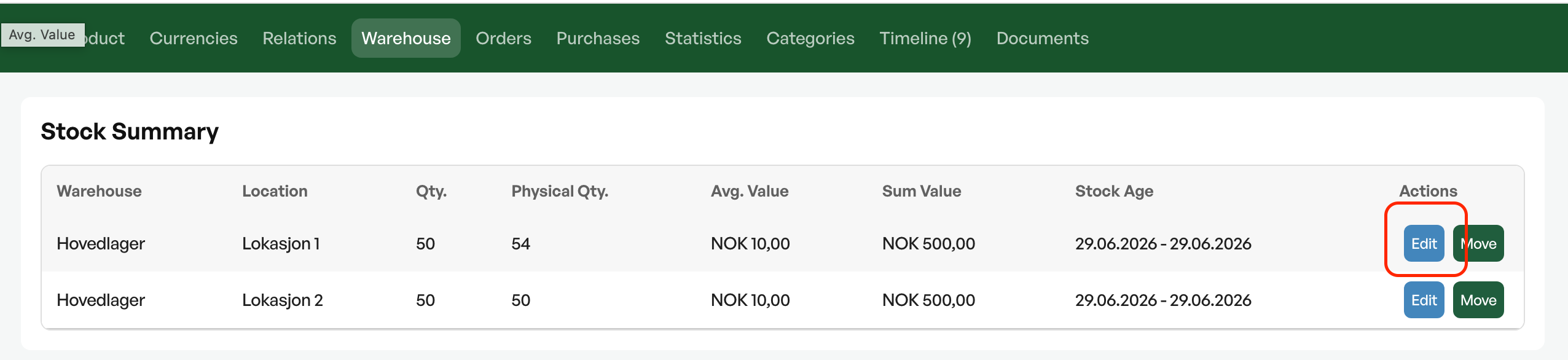
To correct a product, go to the product card and the 'Warehouse' tab, find the desired location and click 'Edit'.
Then change the physical quantity to the desired/correct quantity. The quantity being changed is shown in its own field.
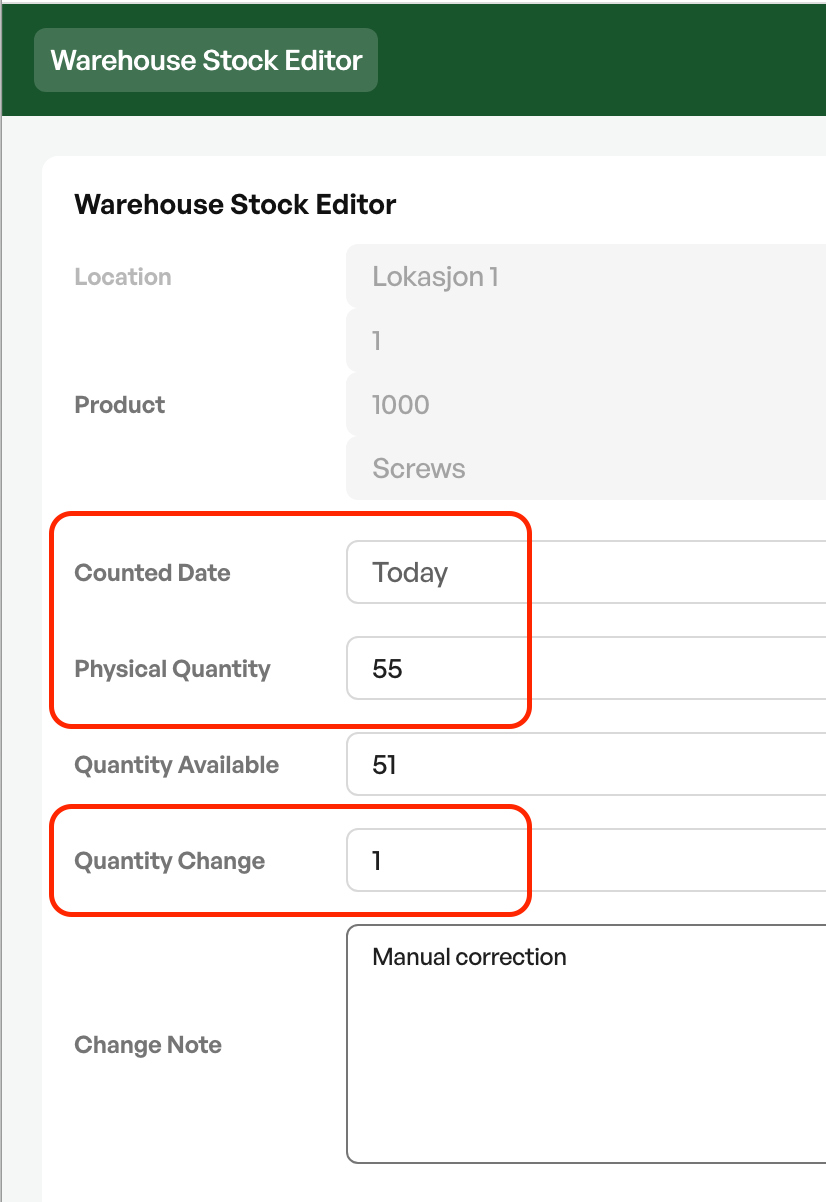
Note: The product must have a default location set in order to correct the stock quantity from 0, if the product has not been in stock before.
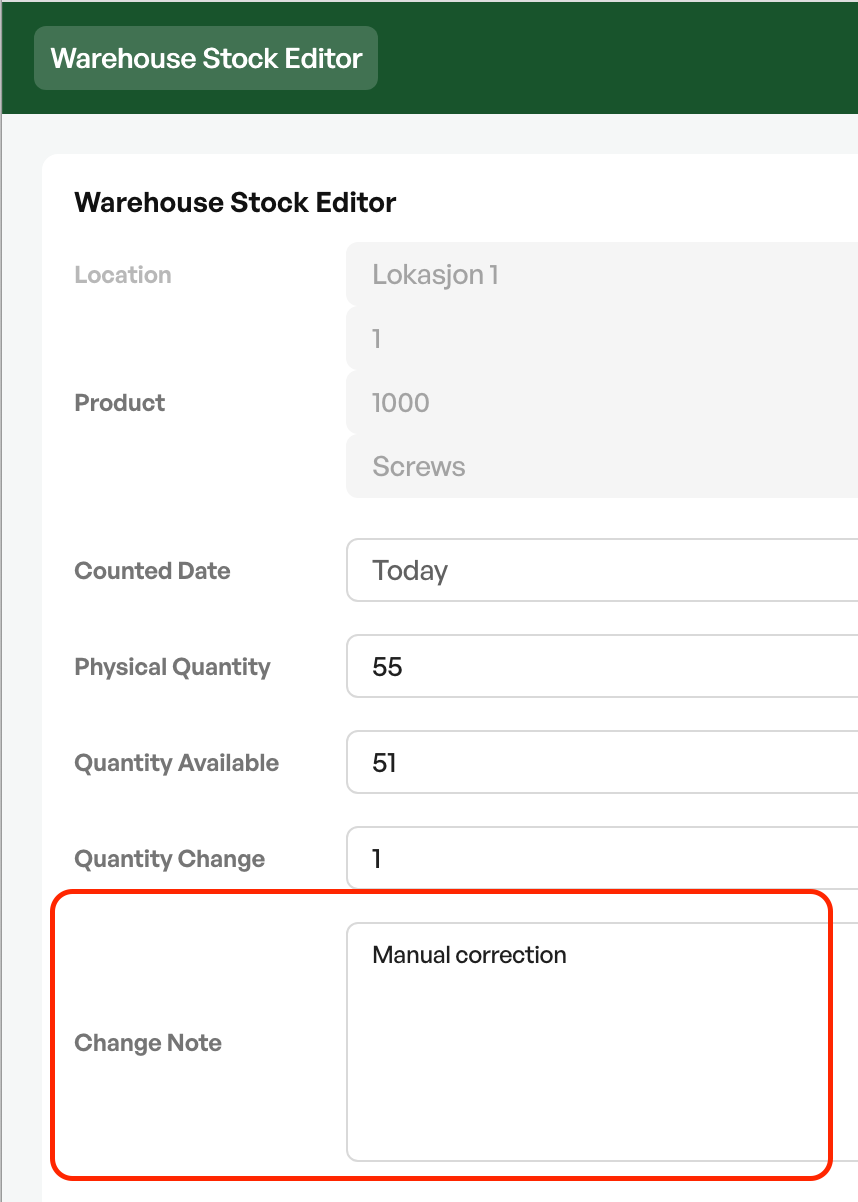
During the change you can add a change note so that the reason for the stock change is logged.
The change is logged in the timeline on the product with the user's signature.
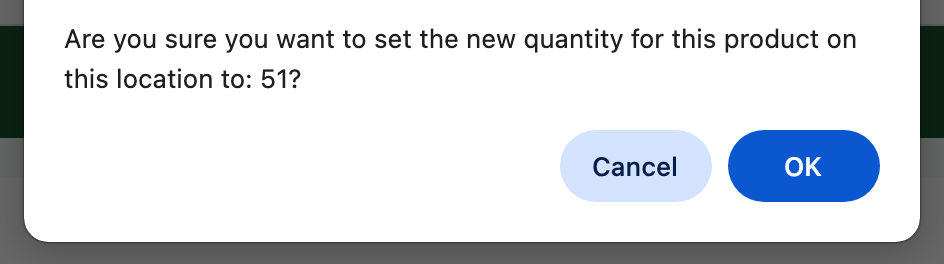
After the change, the new available quantity is shown as available on the product.

NOTE: Stock changes should be possible to document.

Was this article helpful?
That’s Great!
Thank you for your feedback
Sorry! We couldn't be helpful
Thank you for your feedback
Feedback sent
We appreciate your effort and will try to fix the article