Creating a warehouse
Guide for how to create a warehouse in Telaris. A warehouse is the level above warehouse locations.
TABLE OF CONTENTS
Guide
Go to 'Settings > Warehouse > Warehouse > Add new'.
You then get the option to fill in fields for the warehouse.
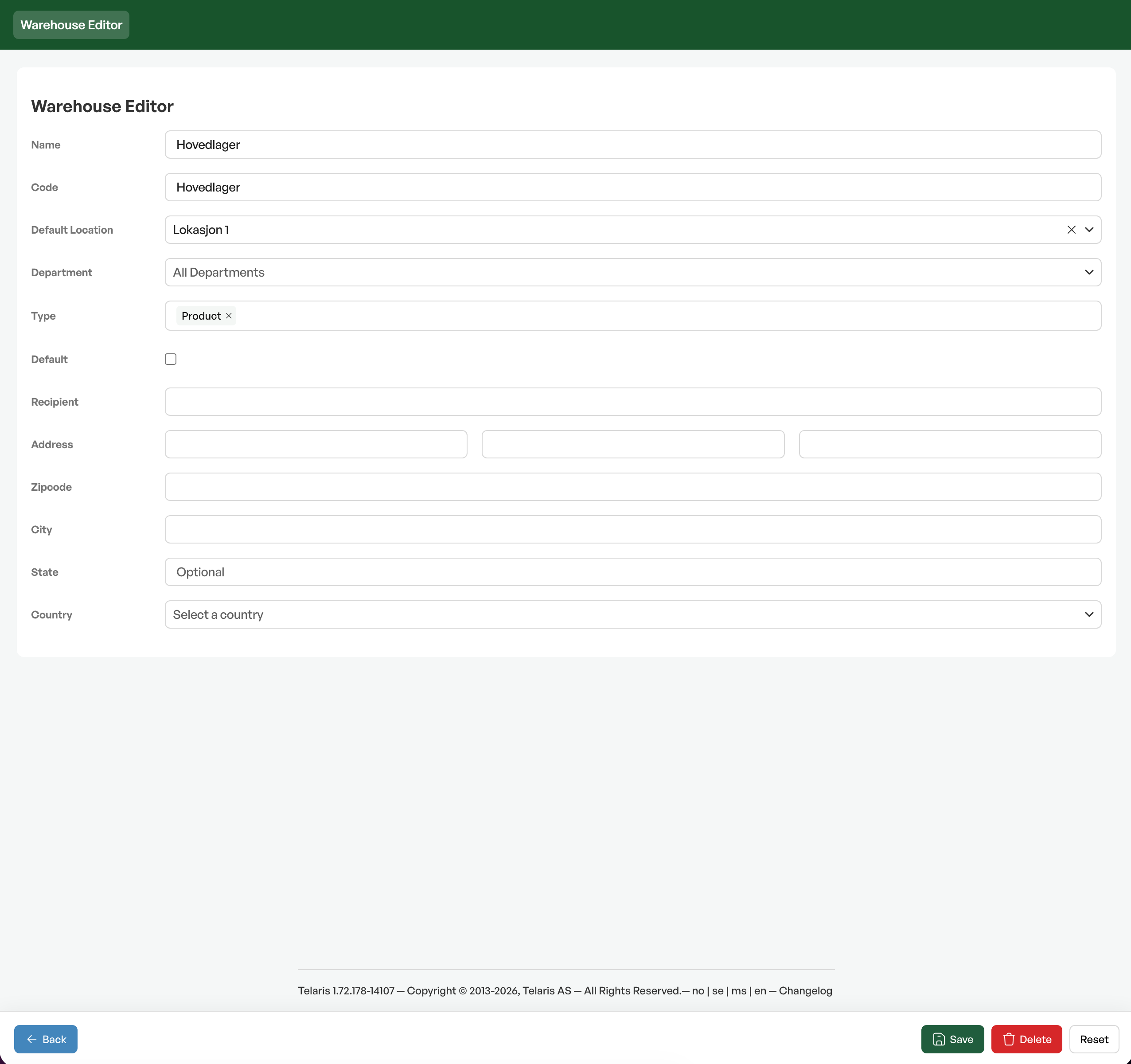
Field explanation
- Name:The warehouse's name as it will be shown in Telaris.
- Code:Used in database lookups, preferably an abbreviation of the warehouse's name.
- Default location:Which location is the default location at the warehouse.
- Department:If there are several departments, choose the department here.
- Type:The type can be a product or object warehouse.
- Default:Ticking this means that this is the default warehouse in Telaris.
The further fields are for setting the correct delivery address for the warehouse, for example for goods deliveries or product returns.
Fill in the fields and finish with 'Save'.
Tip: Under a warehouse you can create warehouse locations.

Was this article helpful?
That’s Great!
Thank you for your feedback
Sorry! We couldn't be helpful
Thank you for your feedback
Feedback sent
We appreciate your effort and will try to fix the article