Tag warehouse
Guide for how to set up a warehouse to be managed as a tag warehouse
TABLE OF CONTENTS
Purpose
This function is used when you want to define warehouse locations for tags, instead of/together with using the warehouse for products.
When a warehouse is activated in tag mode, it becomes possible to link tags to specific locations in the warehouse.
The purpose of the solution is to meet the need for structured organisation of tags in Telaris.
Setup
Warehouse
Go to Side menu → Warehouse → Warehouse.
Open or create the desired warehouse, and mark the warehouse as tag warehouse.
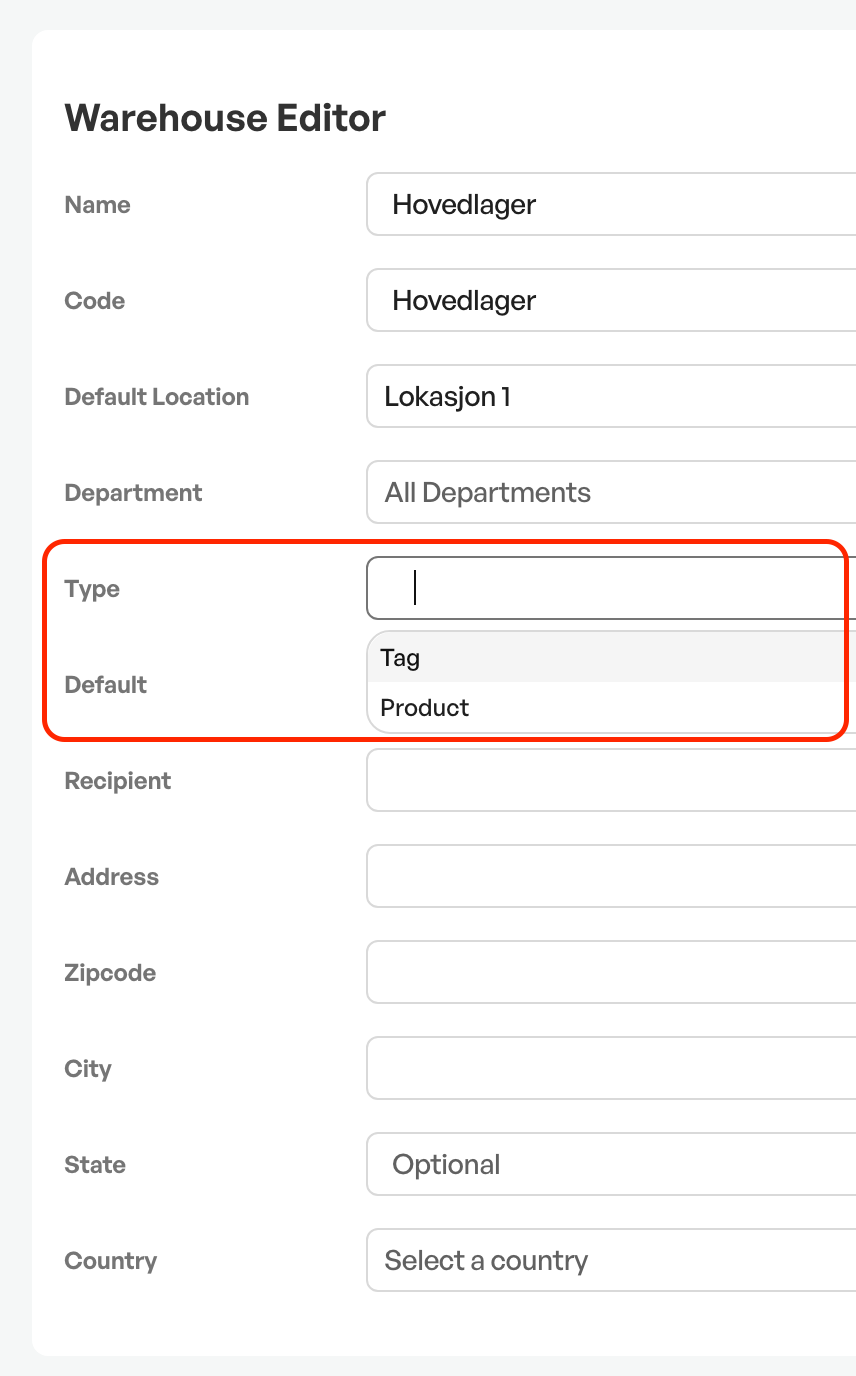
Tip: It is possible to have a warehouse that is both tag and product
Tag type
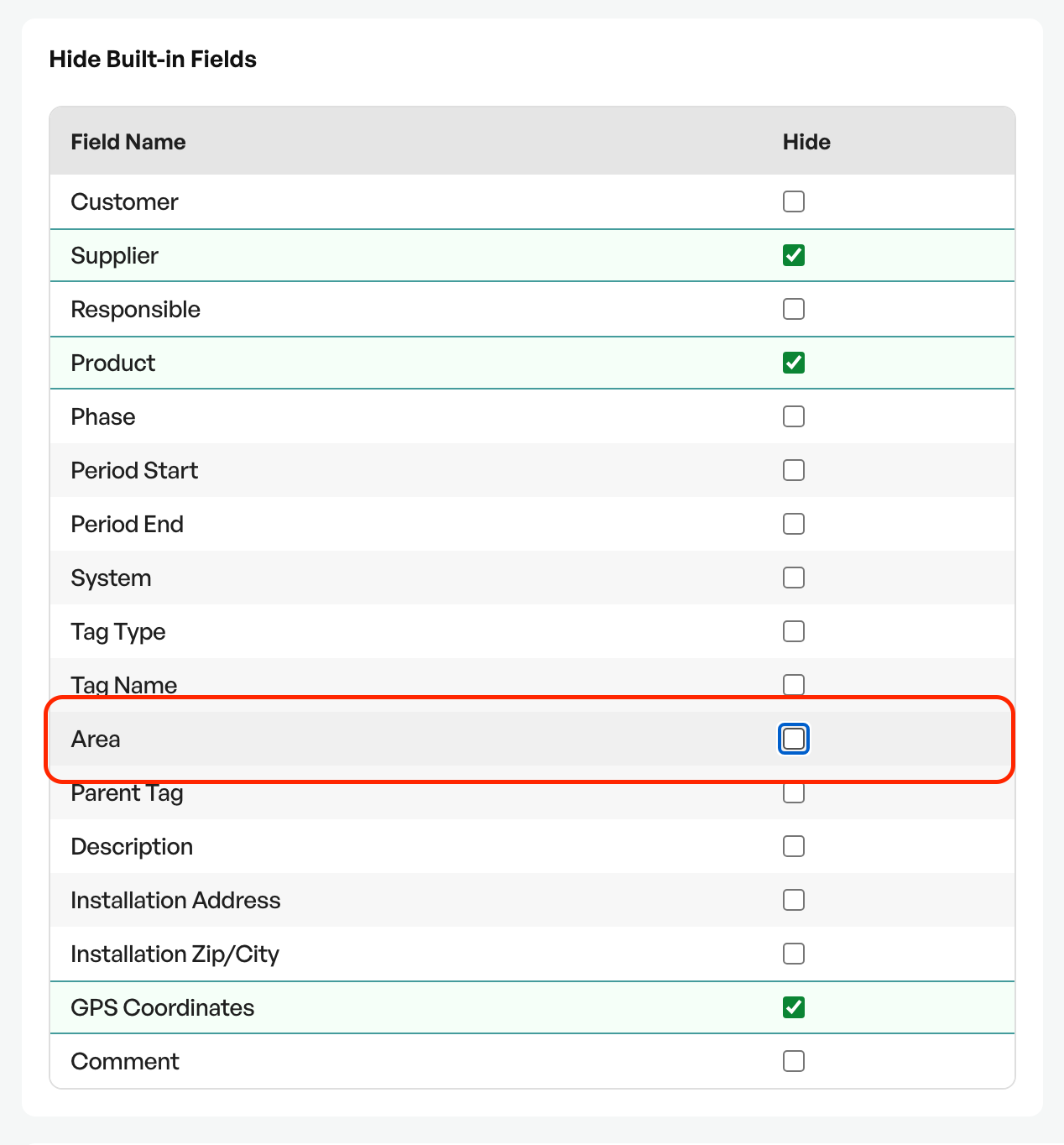
On the relevant tag type(also called individual type) you must check that the field "Area"is not hidden.
This is done under Hide Built-in Fields on the relevant tag type.
Use
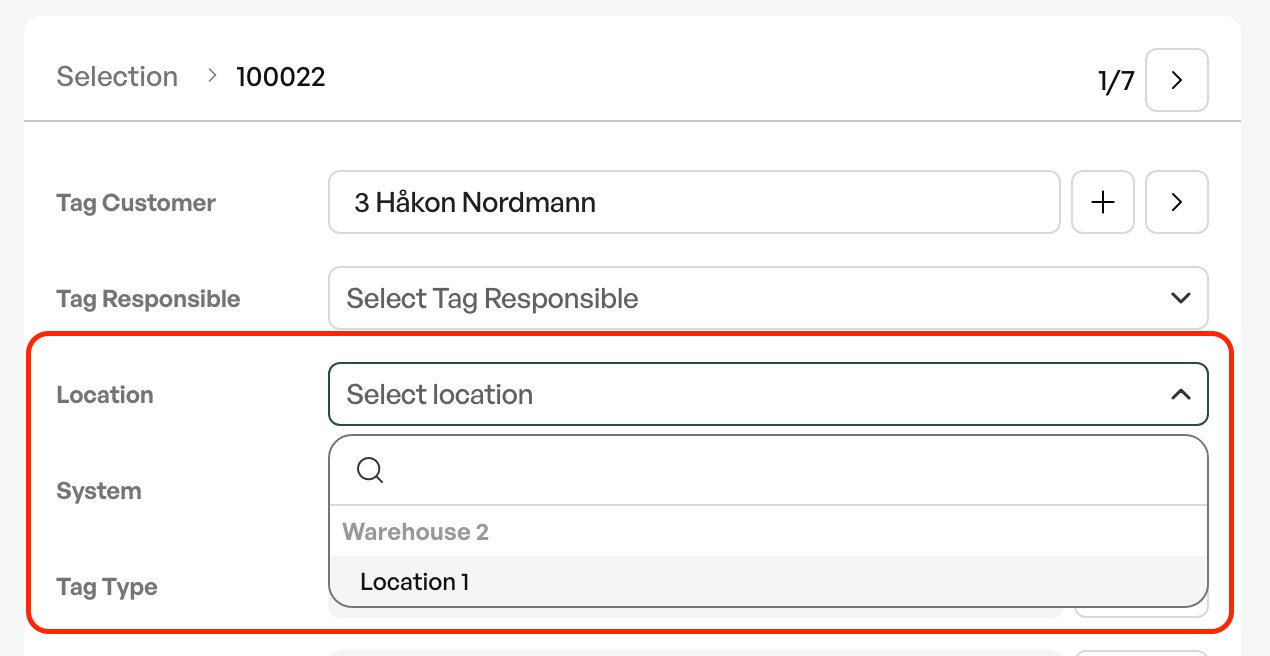
When both the warehouse and the tag type are correctly configured, the field "Location" is shown on the tag and can be selected.
Export
From the tag list you can use the button "Create report", located at the bottom right of the screen, to export the list to Excel.
Note: In some cases a separate setting may be needed for the location to be shown on the tag.

Contact Telaris Support for activation

Was this article helpful?
That’s Great!
Thank you for your feedback
Sorry! We couldn't be helpful
Thank you for your feedback
Feedback sent
We appreciate your effort and will try to fix the article