Picking from the warehouse
Guide on how to prepare and pick products from mobile order review
INNHOLDSFORTEGNELSE
Preparing for picking
In mobile order review the page is divided into three, for order, picking and return. Picking is found in the middle at the box symbol
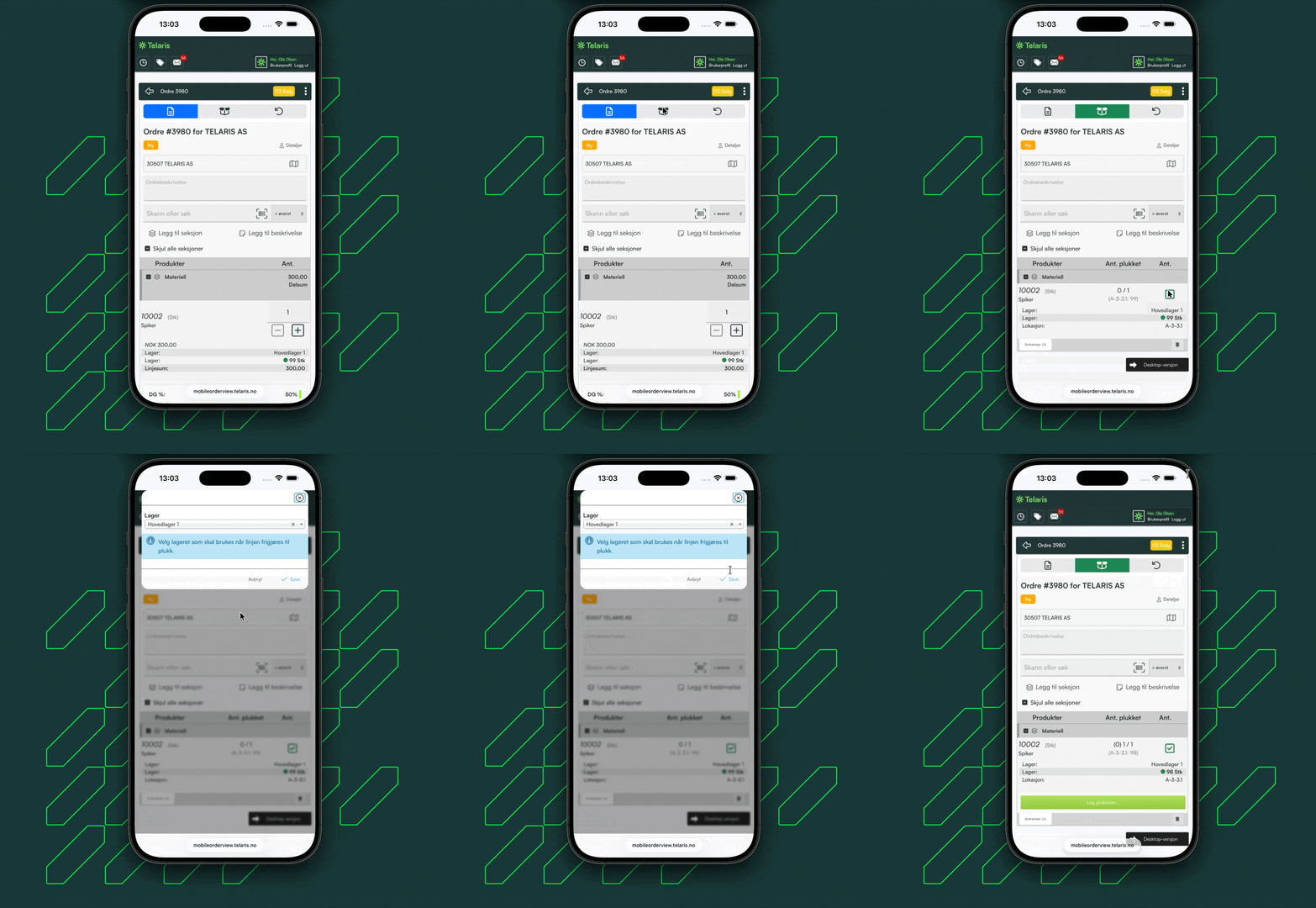
To prepare goods for picking, mark the products you want by ticking the green checkbox.
You are then asked to choose which warehouse the goods should be picked from. After choosing a warehouse, you can prepare the next product for picking.
By preparing an order line for picking, a button for creating a picking list appears at the bottom of the order lines.
Creating a picking list and picking goods
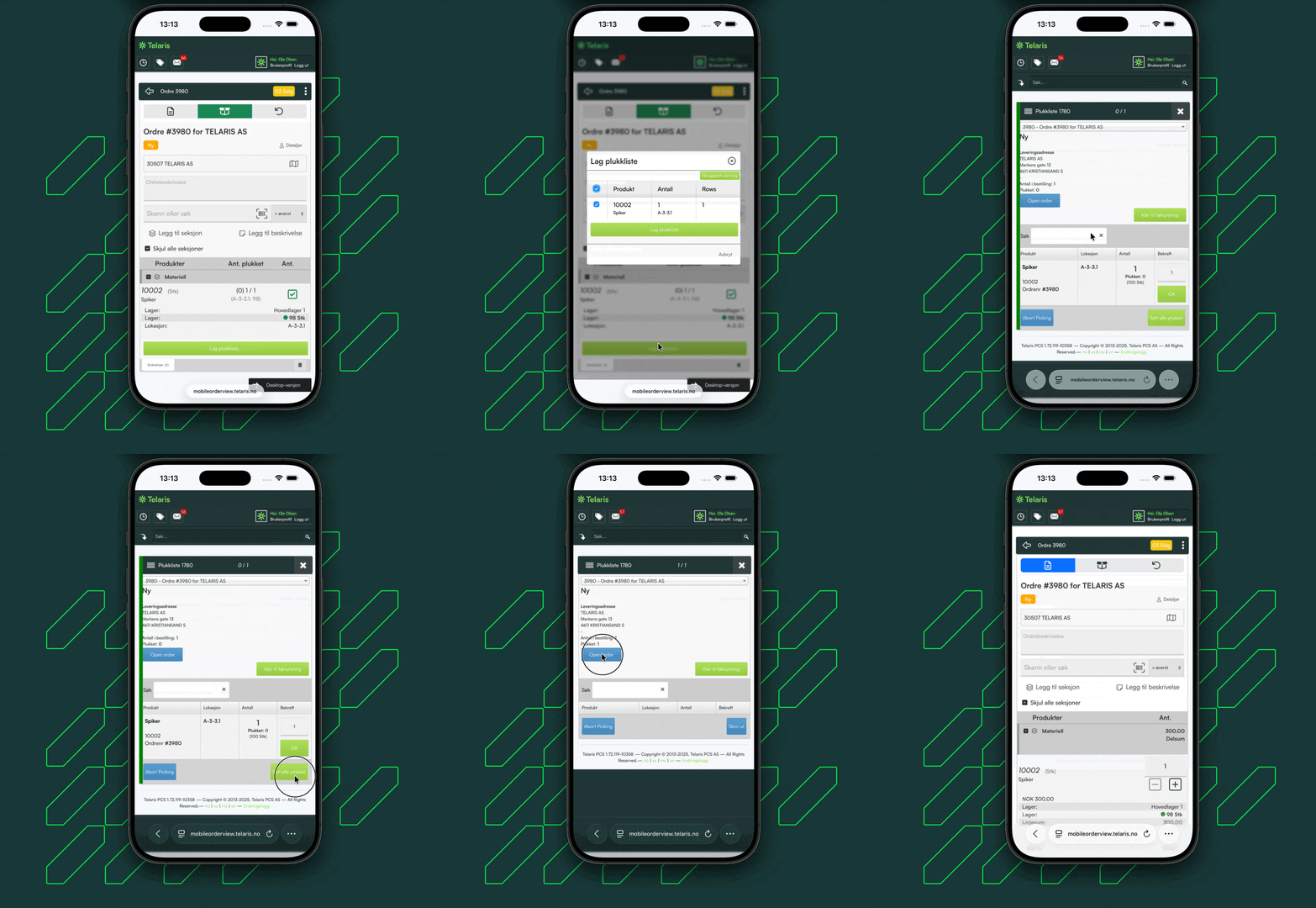
When order lines are prepared for picking, you can click 'Create picking list' to create a picking list.
This opens a dialog box giving an overview of the products being picked.
By continuing, you reach the mobile version of picking lists. Here you can choose to pick the goods and return to the order.
Returning goods to the warehouse
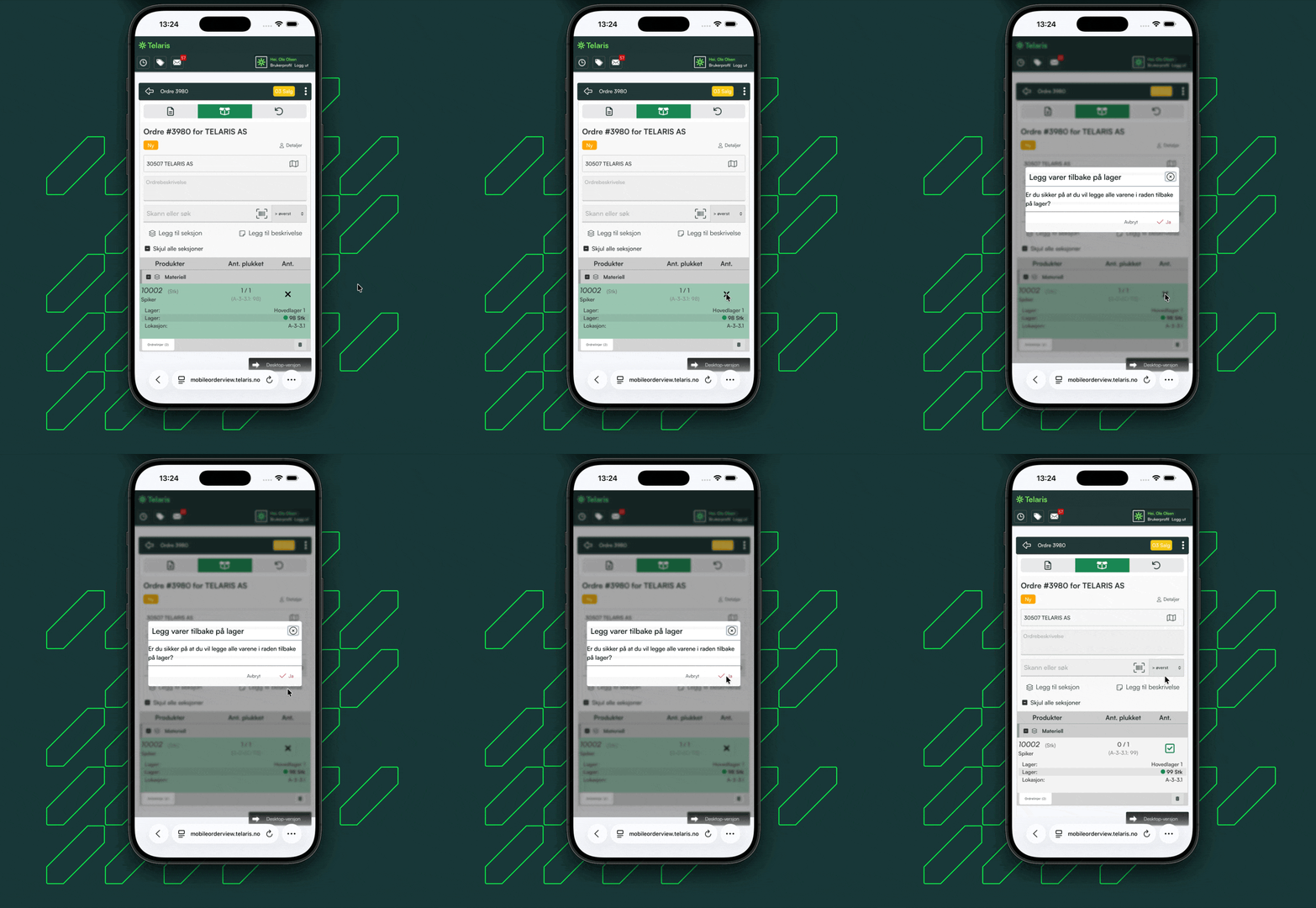
If you want to return goods to the warehouse from picking in cases where something has been picked incorrectly, you can stay in the picking view in mobile order review and click the 'X' on the line.
You are then asked whether you want to return the goods to the warehouse. If you click 'Yes', the line is deleted from the picking list.
If the product is the only product in the picking list, the whole picking list is deleted

Was this article helpful?
That’s Great!
Thank you for your feedback
Sorry! We couldn't be helpful
Thank you for your feedback
Feedback sent
We appreciate your effort and will try to fix the article