Creating a new customer
Guide for creating a new customer in mobile order review
New customer
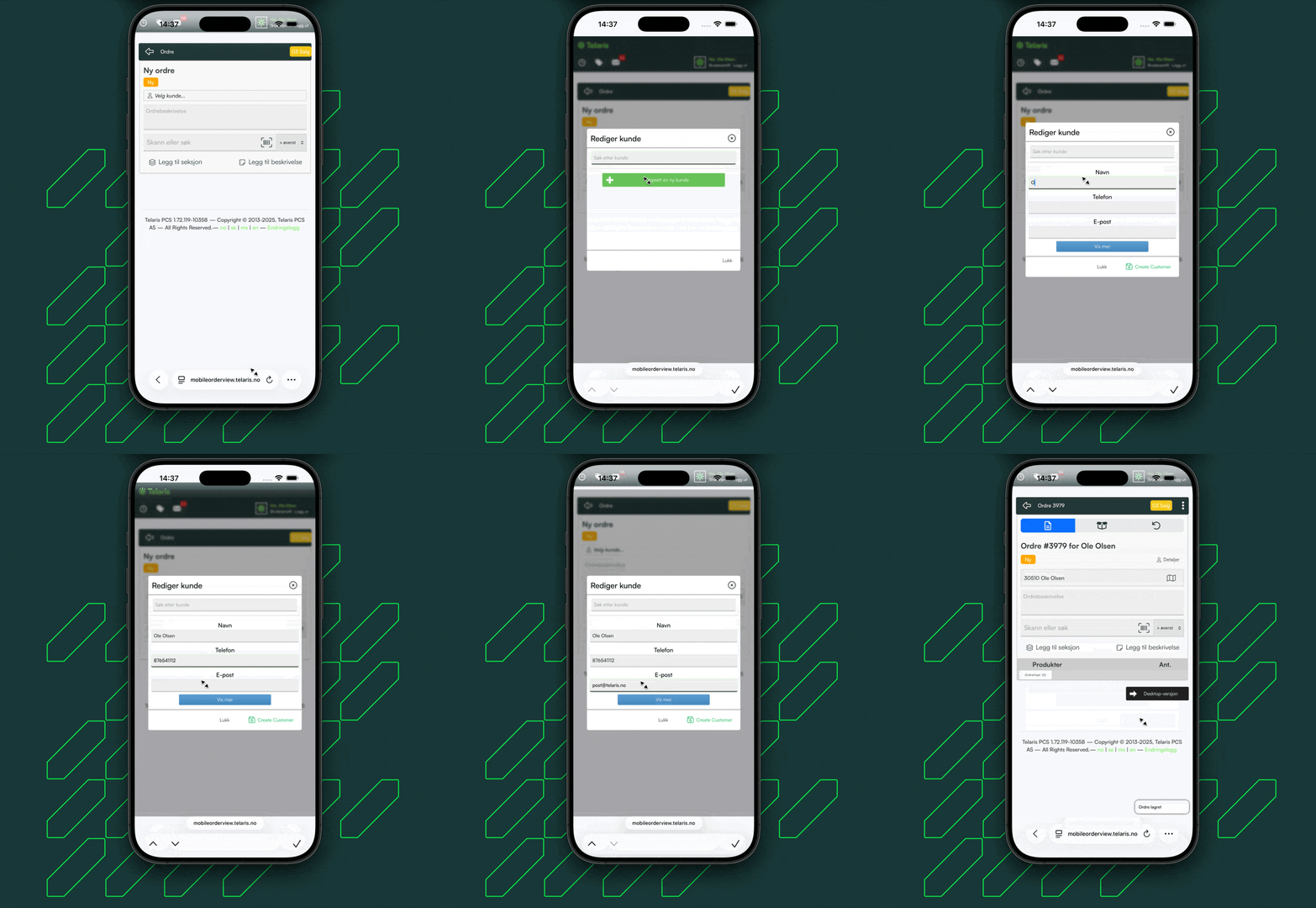
Creating a new customer in an order uses nearly the same functionality as desktop. You can create a new customer and fill in a limited amount of information about the customer.
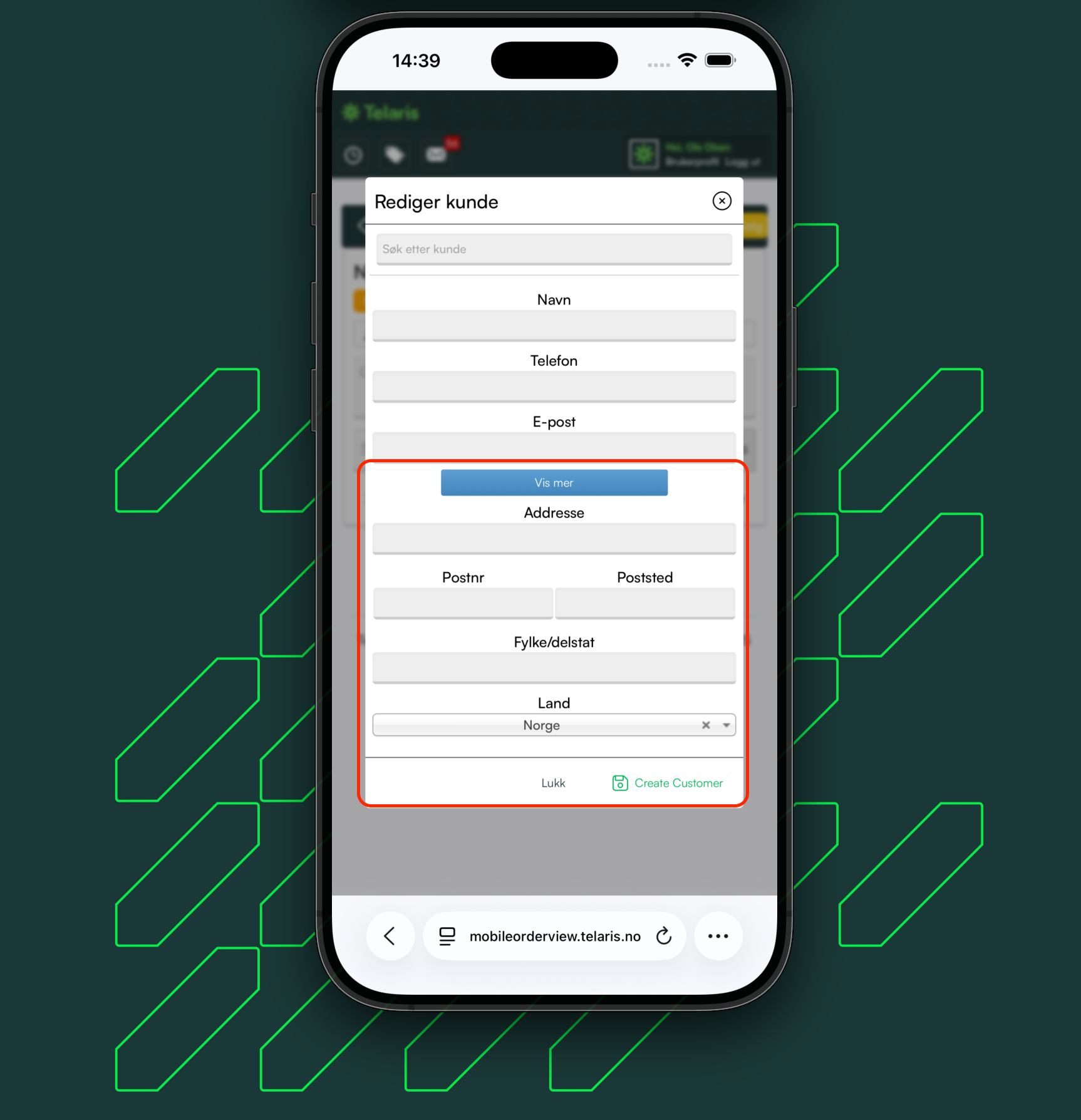
To add more information about the customer, click 'Show more'.
The customer is saved as normal in the customer register
More information
If you want to add more information about the customer being created, click 'Show more' and fill in the fields before saving

Was this article helpful?
That’s Great!
Thank you for your feedback
Sorry! We couldn't be helpful
Thank you for your feedback
Feedback sent
We appreciate your effort and will try to fix the article