Adding order lines
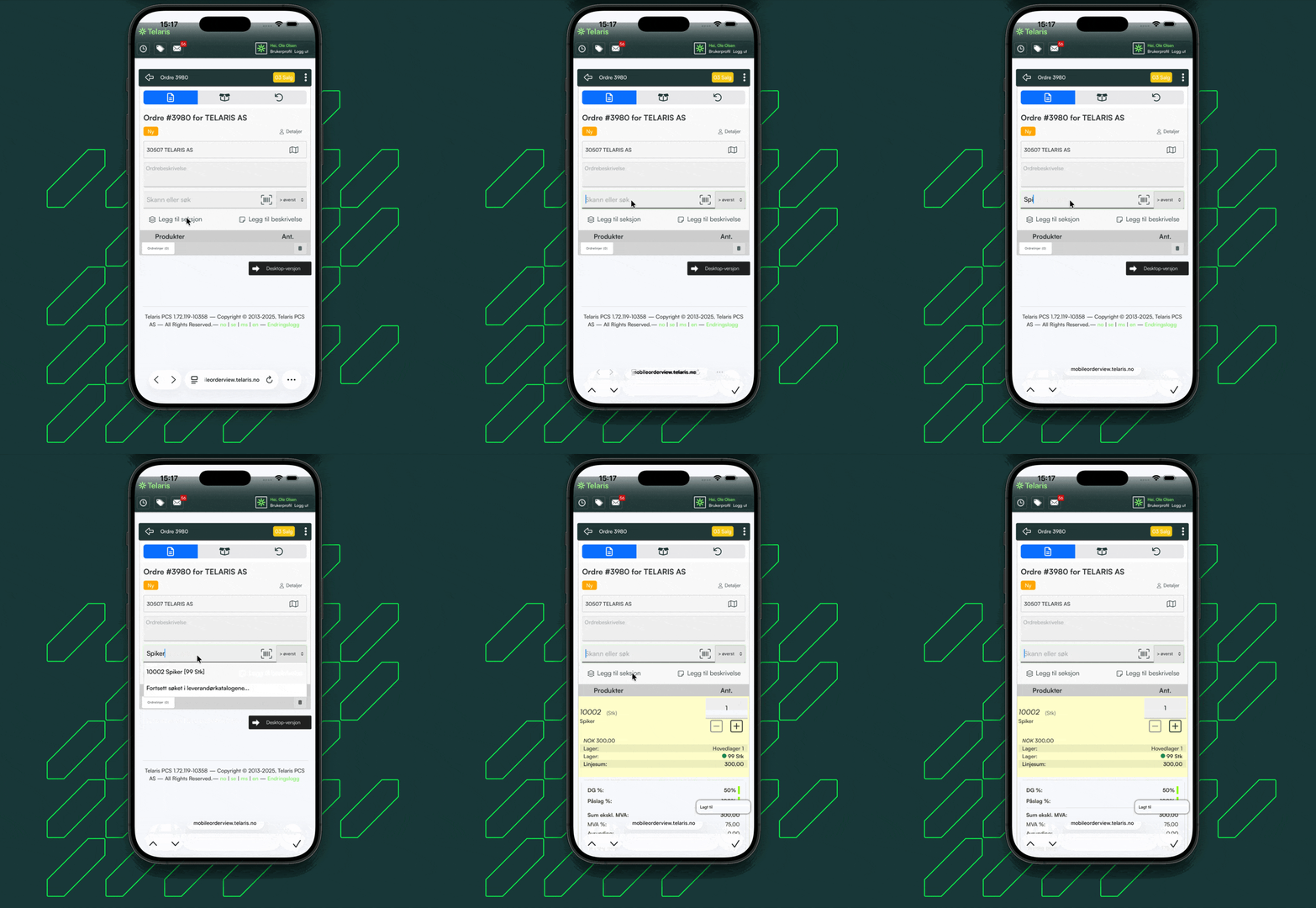
Guide for adding order lines to an order by either searching or scanning from mobile order review
INNHOLDSFORTEGNELSE
Adding order lines
Scanning products
The symbol for scanning products is located on the search bar.
Scanning can be used to read barcodes and QR codes to add products to order lines
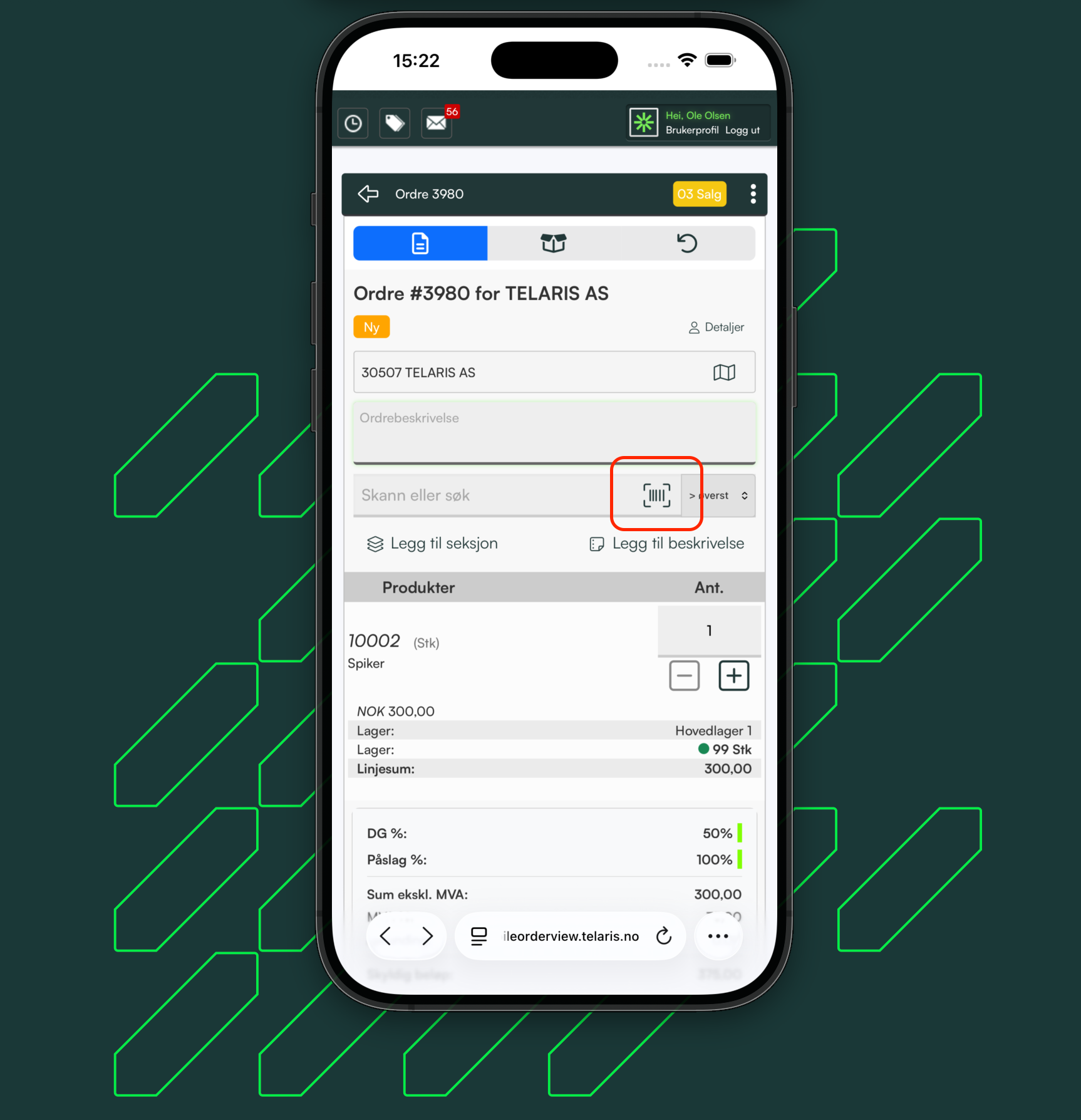
NB: Products must have the barcode registered on the product card for barcode scanning to work

Was this article helpful?
That’s Great!
Thank you for your feedback
Sorry! We couldn't be helpful
Thank you for your feedback
Feedback sent
We appreciate your effort and will try to fix the article