Managing stock counts
Control over the warehouse starts with an accurate count. During a year, stock counts need to be carried out. This user guide gives an overview of how you, as the person responsible for the count, should manage stock counting.
There are two ways to count in Telaris:
- Annual count
- Rolling count
TABLE OF CONTENTS
Annual count
When should the stock count be carried out
The main rule is that the warehouse must be counted at the end of the financial year, which for most people means at the end of the calendar year. This count is most often referred to as an annual count. It is then a requirement that absolutely all items are counted.
Correction date
For the person who administers and manages the stock count, it is the desired correction date that, among other things, can determine whether you should carry out an annual count or a rolling count in Telaris.
That is, that you as the person responsible for the count want the correction date for your stock quantity in Telaris to differ from the count date.
The correction date is set per warehouse created in Telaris. For the sake of the standard stock reports in the system, it is very important that the person responsible for the count is conscious about setting the correction date. It is the correction date that defines what output these stock reports give at the desired time.
The chosen correction date becomes the applicable time on the warehouse tab in the product card, and in the note field it will be visible how many were counted on the count date, and by whom.
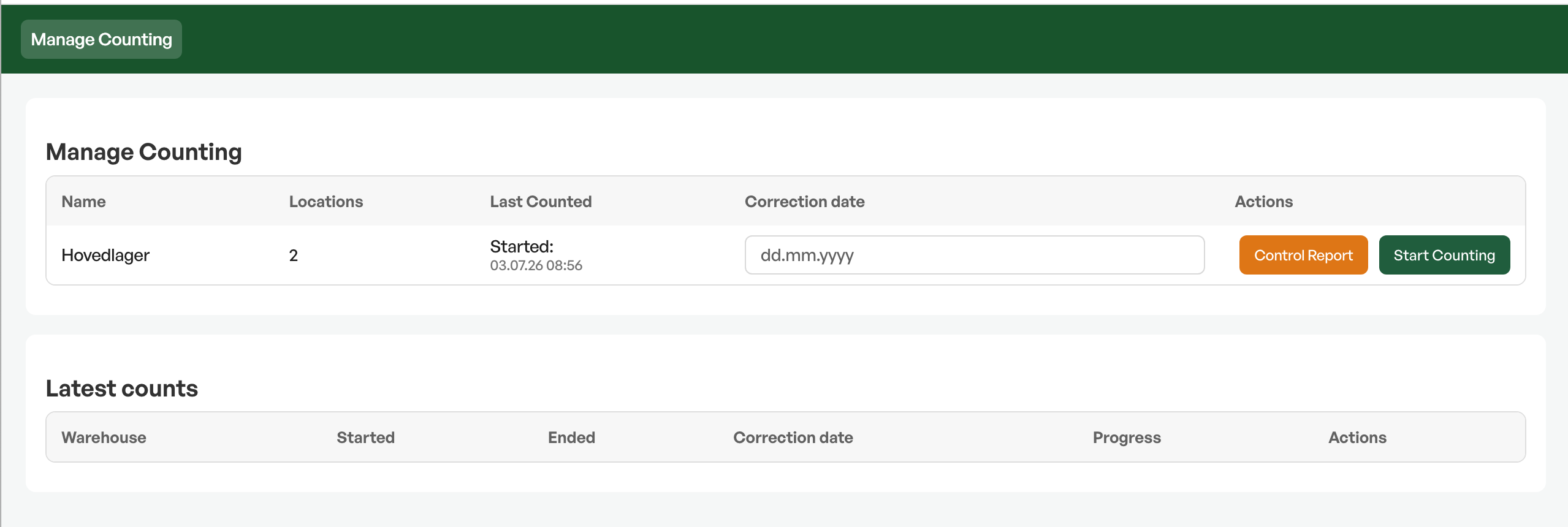
By using the annual count in Telaris, you have the option to correct the stock quantity back in time from the count date.
For example, if you count on 2 January but want the correction date to be 31 December the previous year. If you then set the correction date to 31 December, the stock reports you take out as of 31 December will also show output based on the stock count.
The period between the correction date and the actual count date
The system handles it if there has been goods movement (purchase/sale) between the correction date and the count date. This means that you donotneed to consider this when you register the physical quantity on the count date.
Those of you who count should only count the quantity you actually have physically in stock on the day you count.
Managing an annual count
In Telaris, the warehouse is defined by warehouses and their associated warehouse locations. This means that a warehouse can consist of several warehouse locations.
In Telaris, it is admin users who can create new warehouses and consequently have access to manage an annual count.
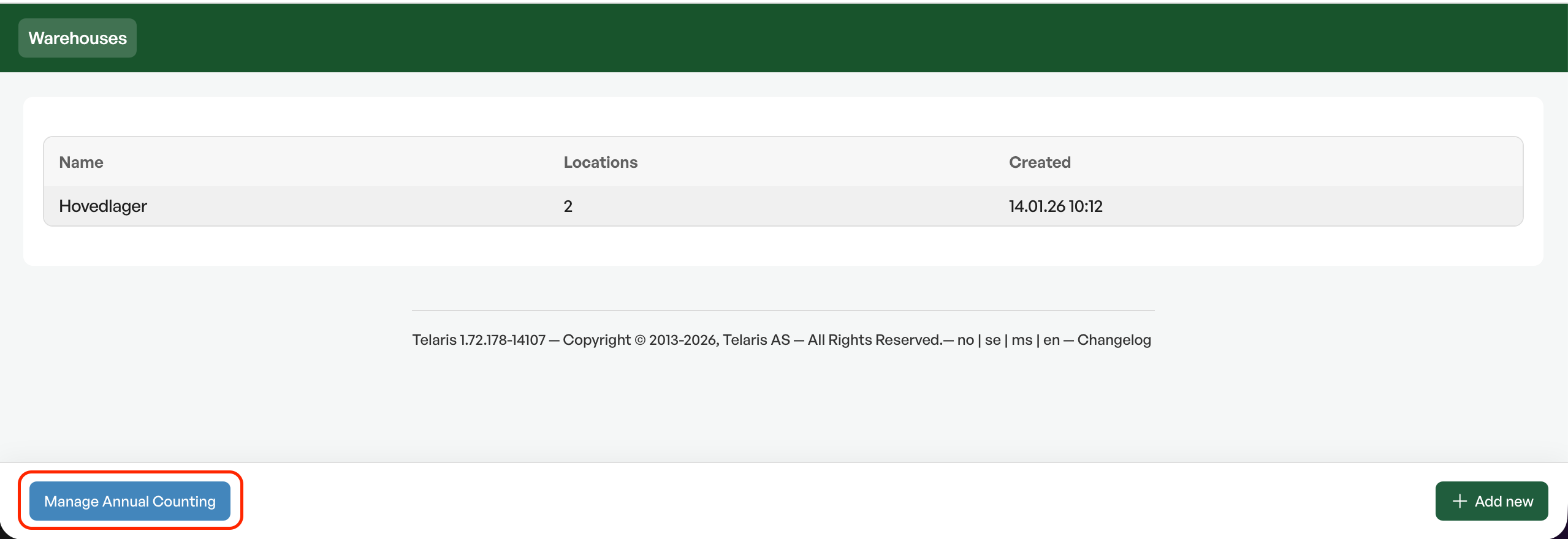
It is here, in "Manage annual count", that we have gathered everything we believe is necessary for the person responsible for the count to carry out a thorough, systematic and efficient annual count in Telaris. In this screen the person responsible for the count will, among other things, have an overview of:
- Correction date
- Start and stop annual count
- Progress on active counts
- Control report
- Before, during and after the count you have the stock list available here
- Latest counts per warehouse, including a report of completed counts
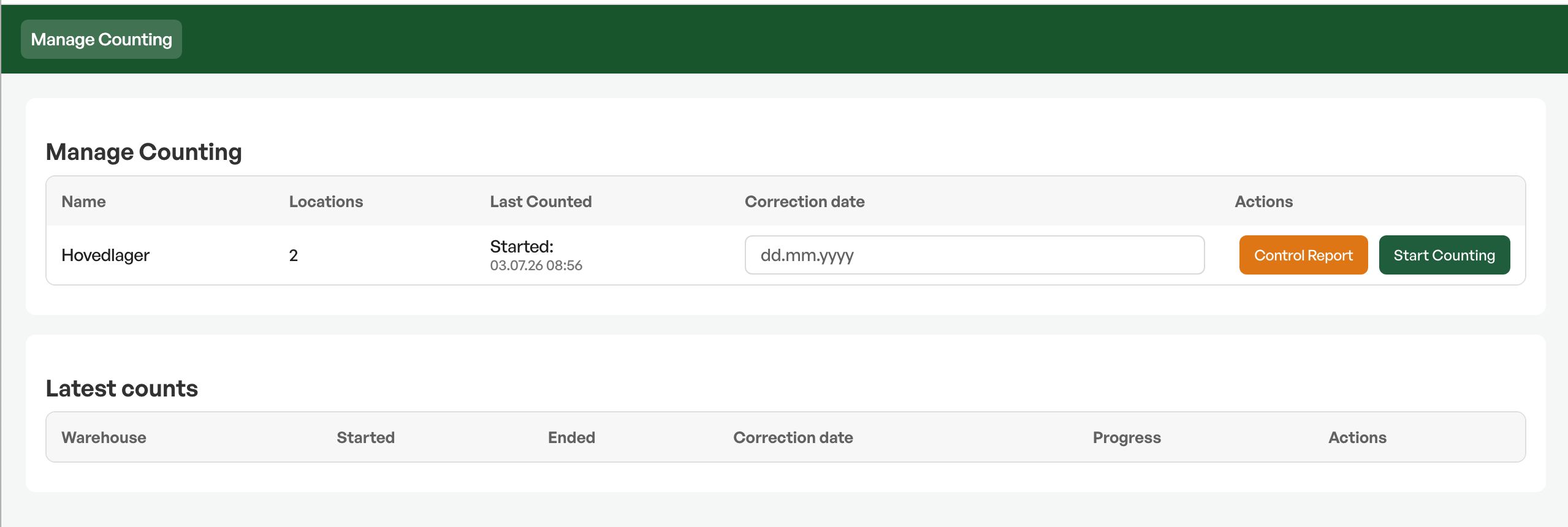
If you, as the person responsible for the count, want to start counting, you can just click the relevant warehouse and you go straight to the counting window.
It is possible to carry out both an annual count and a rolling count at the same time in Telaris, butnoton the same warehouse. This means that if you start an annual count on a warehouse, it is locked until you stop the annual count. For example, you run an annual count on the main warehouse, but at the same time want to carry out a rolling count on the store warehouse.
We have chosen to give a friendly reminder to admin users until the annual count is stopped in the system, so that it does not create unintended errors regarding corrections of count results. This means that wherever you navigate in the system, you as admin users in Telaris will have a message at the top of the screen about an ongoing annual count.
This is also a shortcut that makes it easy to navigate to "Manage annual count" for you as the person responsible for the count.
Rolling stock count
If all your items in Telaris are stock-controlled and you use the complete warehouse module in Telaris, that is purchasing-goods receipt-picking-invoicing, you will have a continuous stock ledger in the system.
This means that all stock movements linked to the items are registered in the system throughout the year.With such a solution you can use a rolling stock count.
There are additional requirements for internal control with a rolling stock count. We therefore recommend that you contact your accountant or auditor if you are in doubt about whether you can set up a rolling stock count.
When should the stock count be carried out
With a rolling stock count, the items are counted continuously throughout the year. The times for counting and the division of what should be counted when are something you must define and control yourselves.
Even though the timing of the rolling stock count differs from the annual count, it is still a requirement that absolutely all items be covered by the counts made during the year.
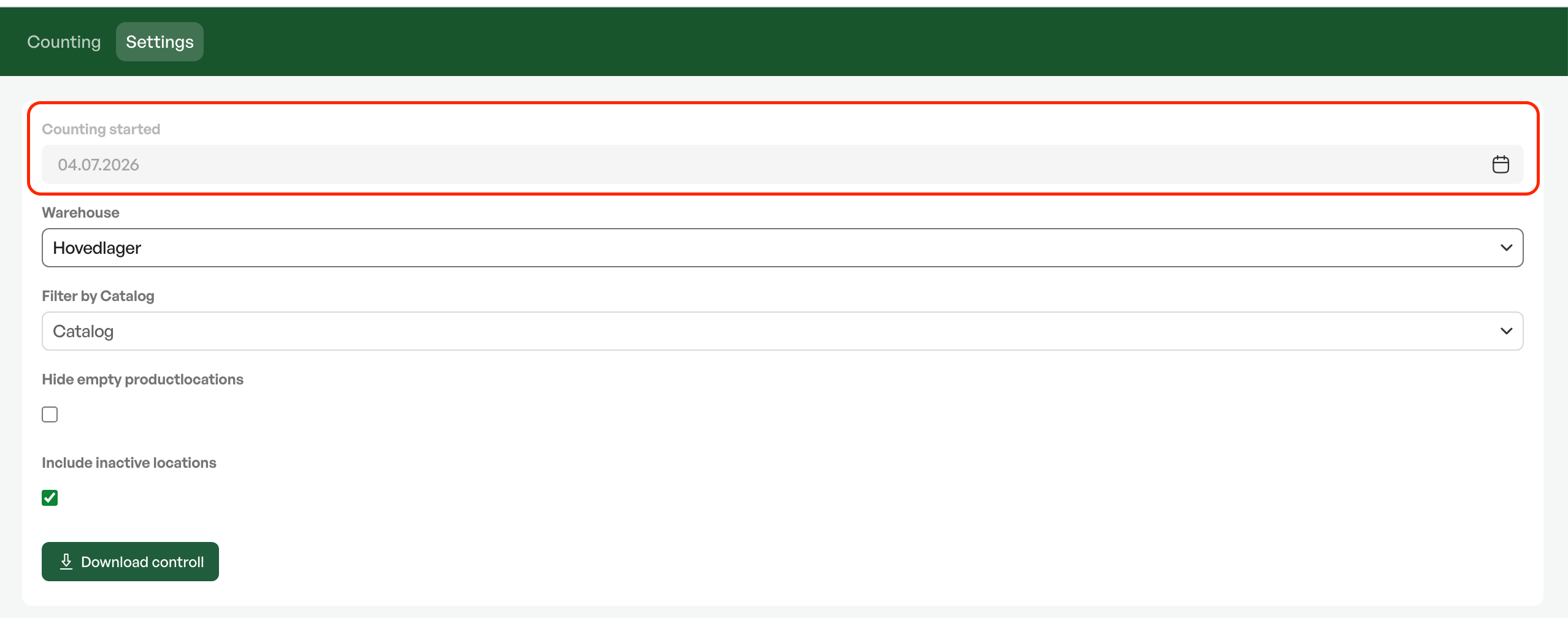
Count started
The count date under the tab "Settings"updates at all times to the current date. This means you must change "Count started" if you count over several daysandat the same time want the items you counted yesterday to be marked as "counted".
Correction date
With a rolling stock countthe correction date in the system will be the same as the actual count date. This means that if you, for example, count on 2 January, this also becomes the time when the stock quantity is corrected in the system.
Even if you use a rolling count, we generally still recommend that you occasionally run a complete stock count of all items.
Guide:Preparations before a stock count in Telaris

Was this article helpful?
That’s Great!
Thank you for your feedback
Sorry! We couldn't be helpful
Thank you for your feedback
Feedback sent
We appreciate your effort and will try to fix the article