Product class - Product fees
Guide for adding automatic fees or charges to products in a product class
TABLE OF CONTENTS
Purpose
For cases where you want a fee to be added automatically, for example an invoice fee or environmental charge when selling certain products
Setup
Via the product class you find the field for 'Product Fees in this class'
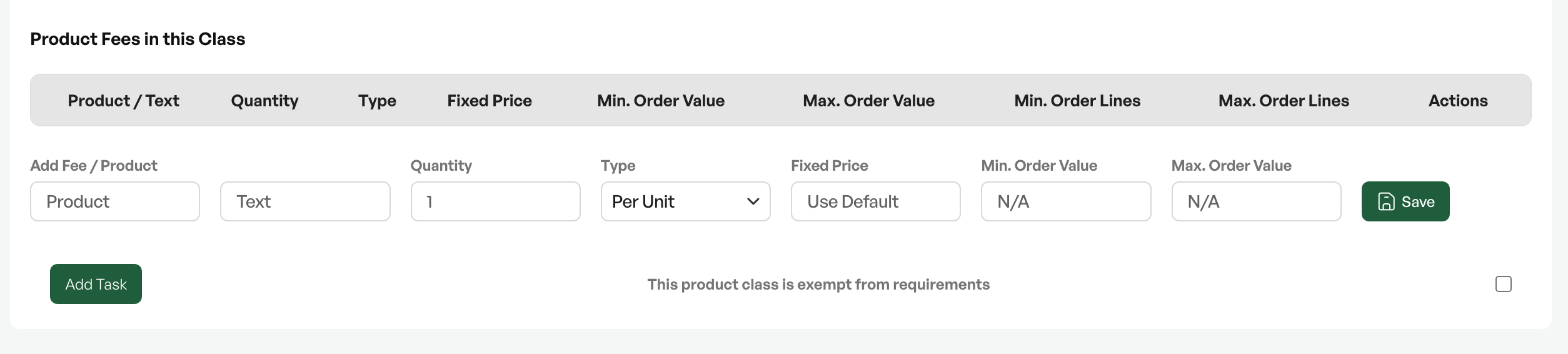
In this field you can enter a fixed product at a chosen price that is automatically included in order lines when a product in the product class is added to an order
Settings
Product:Search field for which product should be added to the order, linked to the product fee.
Example: To add an environmental fee, you must first create a product called environmental fee and link it to the product fee line

Description:Optional to use; can be used to set an overriding name on the product
Quantity:The quantity of the product added to the order
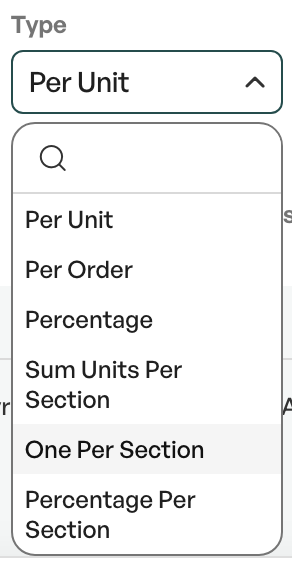
Type:Field where you can define how the product is added to the order. Several options that give different results.
For example, "Per unit" adds 1 unit of the product fee per quantity of the product in the order. If you have a fee of 49 kr "Per unit", 10 units of the product in the order will give 490 kr of product fee in the order.
Fixed price:Fixed price of the product added to the order automatically. This can be overridden from the price field
Min. Order value:If the order does not reach the minimum value, the product is not automatically added to the order
Max. Order value:If the order exceeds the maximum value, the product is not automatically added to the order

Example
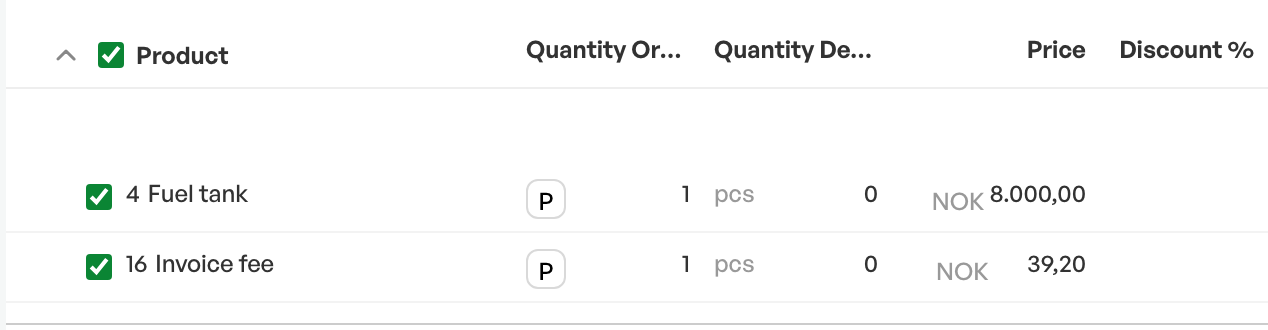
In the example image below, an invoice fee has been set up with 1 unit per order at a fixed price on the product class. Click "Save" to add the product fee


Product in product class
When the product is added to the order, the associated product from the product class is automatically included

Was this article helpful?
That’s Great!
Thank you for your feedback
Sorry! We couldn't be helpful
Thank you for your feedback
Feedback sent
We appreciate your effort and will try to fix the article