Clocking hours to order lines
Guide on how to clock hours to order lines
Assigned orders and clock-in
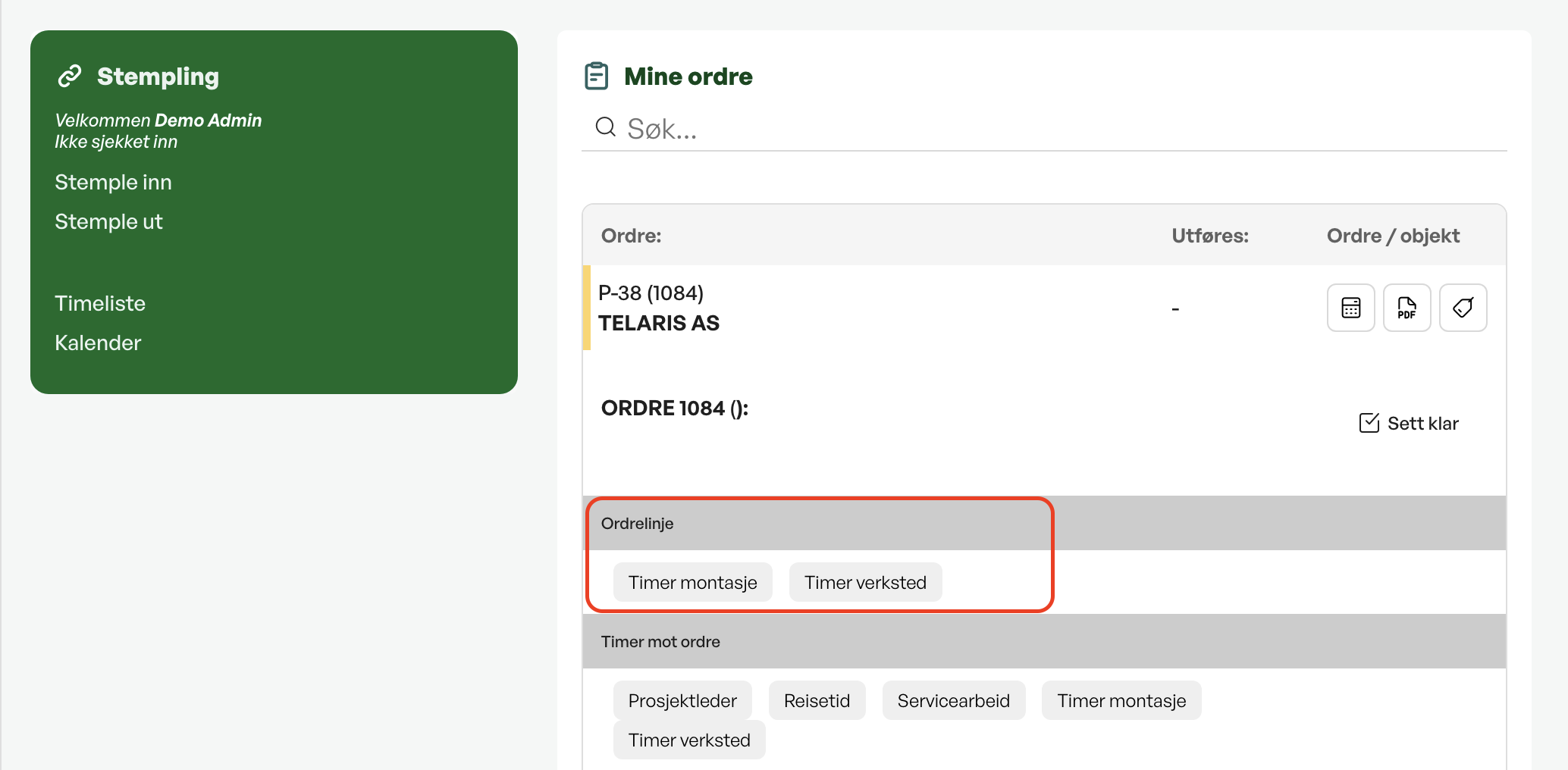
If you are assigned orders in Telaris and open Dashbord Service, an order list is shown on the right of the screen.
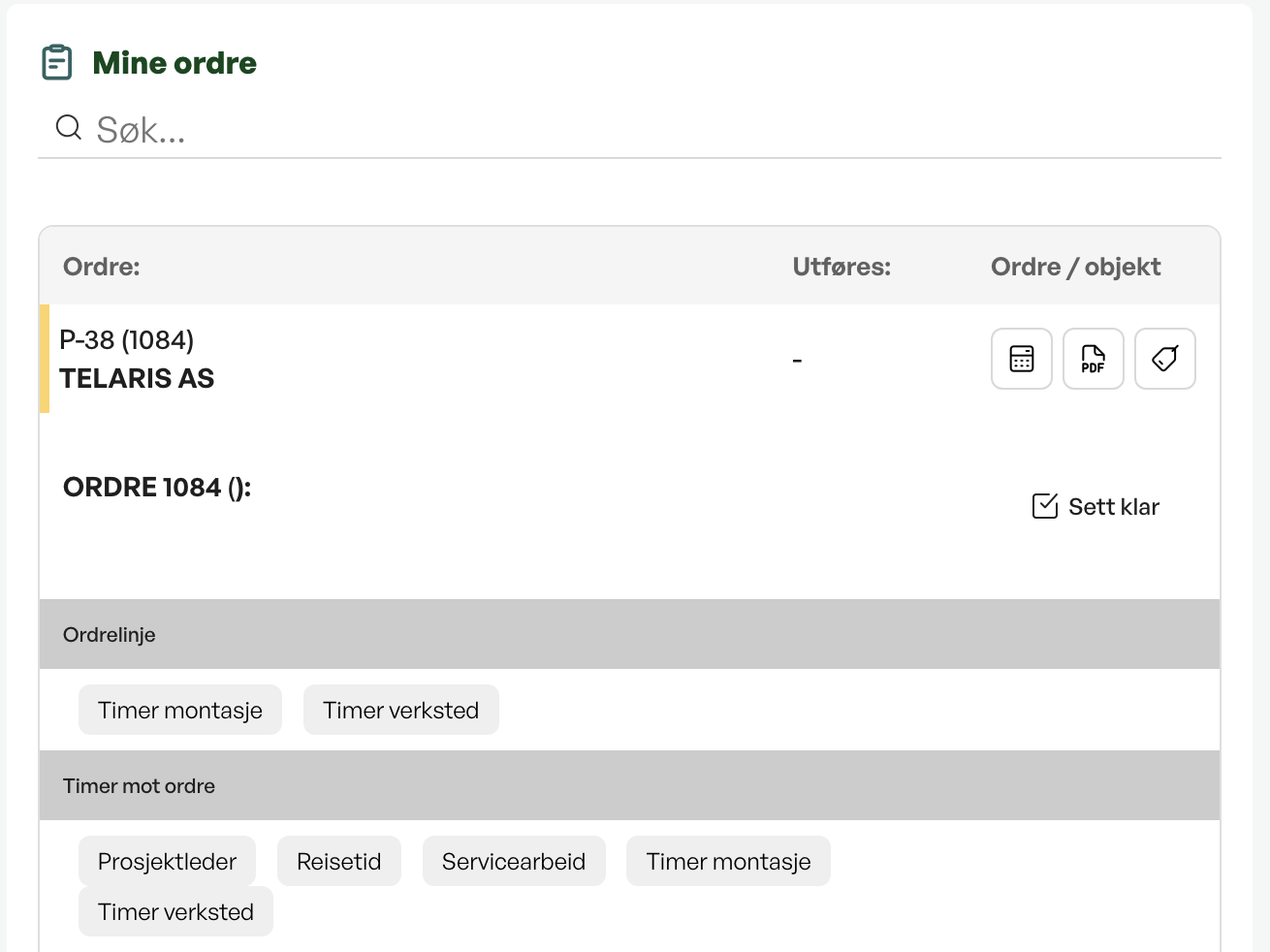
When you click the assigned order, the options for tracking hours against the order are shown.
Click the desired hour type, for example an hour type under 'ordrelinje'. You are then clocked in automatically against the order and the hour type in Telaris. Hour products on the order lines are shown as belonging to the order line. The remaining hour types configured in the instance are shown in a separate section.
Hour types
If hour products have been added to the order, you can record hours directly against the line, which in turn can be invoiced to the end customer.
The available hour types are grouped under categories. These will vary depending on how the hour setup is configured for your instance of Telaris.
Hours are configured by an administrator under Innstillinger -> Timeoppsett.
Tips: The setup of time tracking and dashboards can vary. Contact your system administrator with any questions.

Was this article helpful?
That’s Great!
Thank you for your feedback
Sorry! We couldn't be helpful
Thank you for your feedback
Feedback sent
We appreciate your effort and will try to fix the article