Manual time tracking
How to track hours in Telaris without using the clock-in function
Shortcut and the clock symbol
Everywhere in Telaris, the symbol for the clock - time tracking is visible.
From this symbol you reach the time list, where you can manually track hours against an order or internally.

There are also shortcuts from various dashboards that send the user to the same place for time tracking.
Time tracking is done by filling in the necessary information and entering either a from-to time or the number of hours.
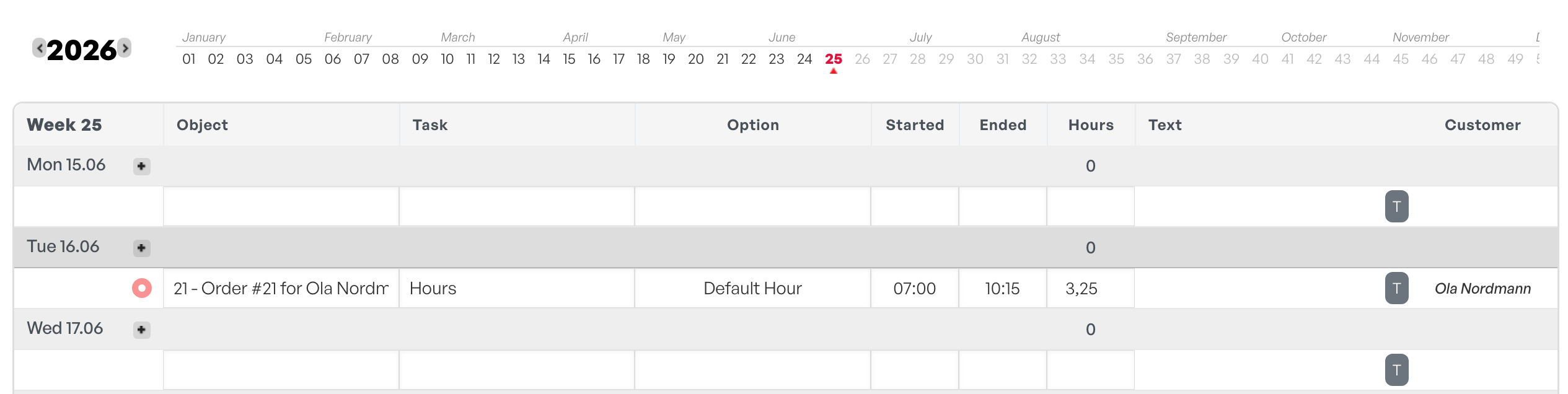
Tip: If you are in an order and click the clock symbol, the time entry automatically selects the order you are in to track hours against.

Was this article helpful?
That’s Great!
Thank you for your feedback
Sorry! We couldn't be helpful
Thank you for your feedback
Feedback sent
We appreciate your effort and will try to fix the article