Vipps integration Telaris web shop
Simple and secure payment directly in the web shop.
TABLE OF CONTENTS
Overview
The Vipps integration lets customers pay for orders directly in the Telaris B2B web shop using Vipps. Telaris handles the entire payment flow: reserving the amount, capturing it automatically when the goods are shipped, and refunding on cancellation.
How the integration works
Activation
To start using Vipps you must:
- Order Vipps products from Vipps
- Retrieve API keys in portal.vipps.no
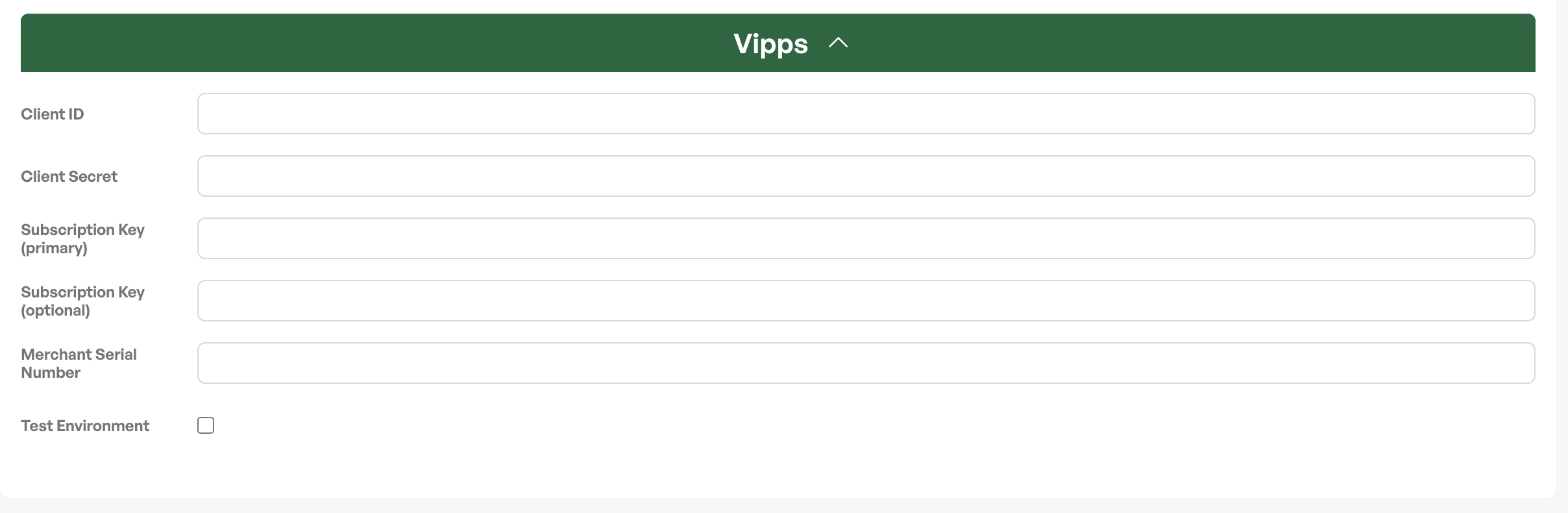
- Enter the API values in Telaris
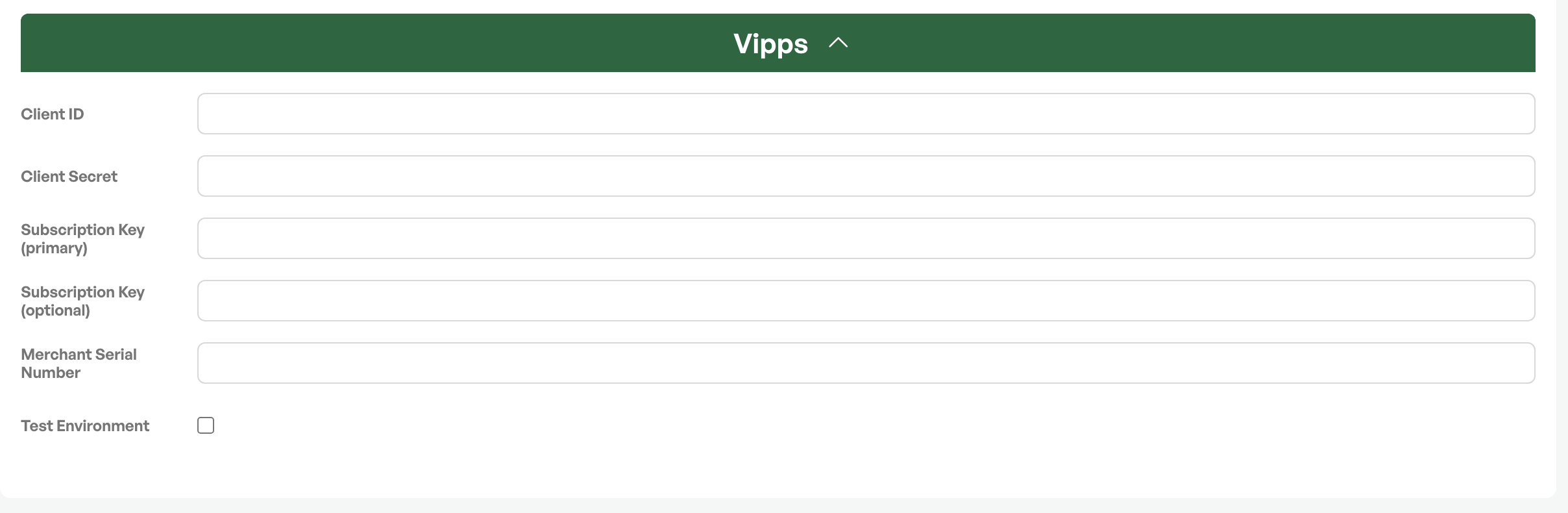
Once this is done, the "Pay with Vipps" button appears in the web shop.
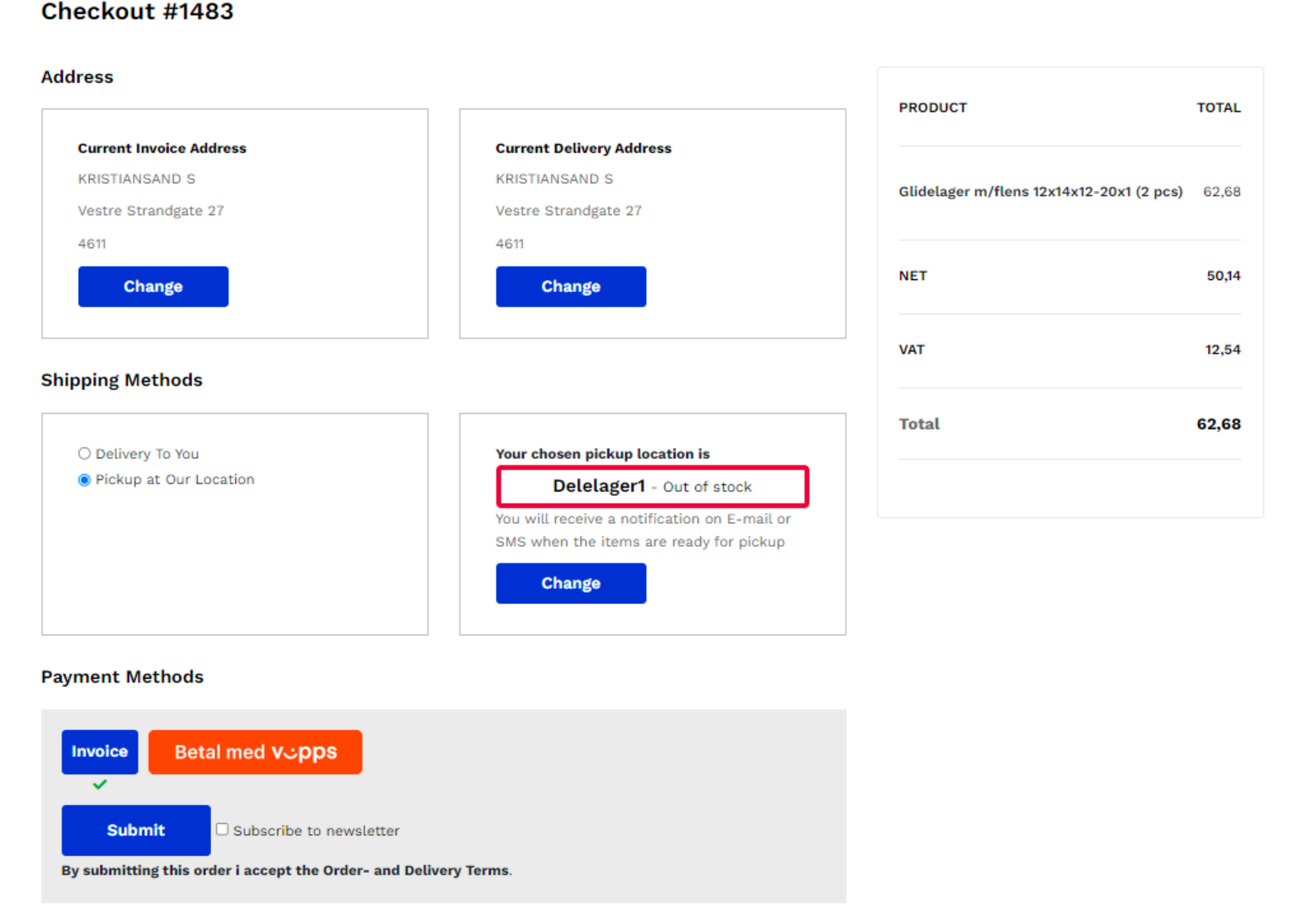
Vipps at checkout
- The customer places an order in the web shop
- The "Pay with Vipps" payment method is shown
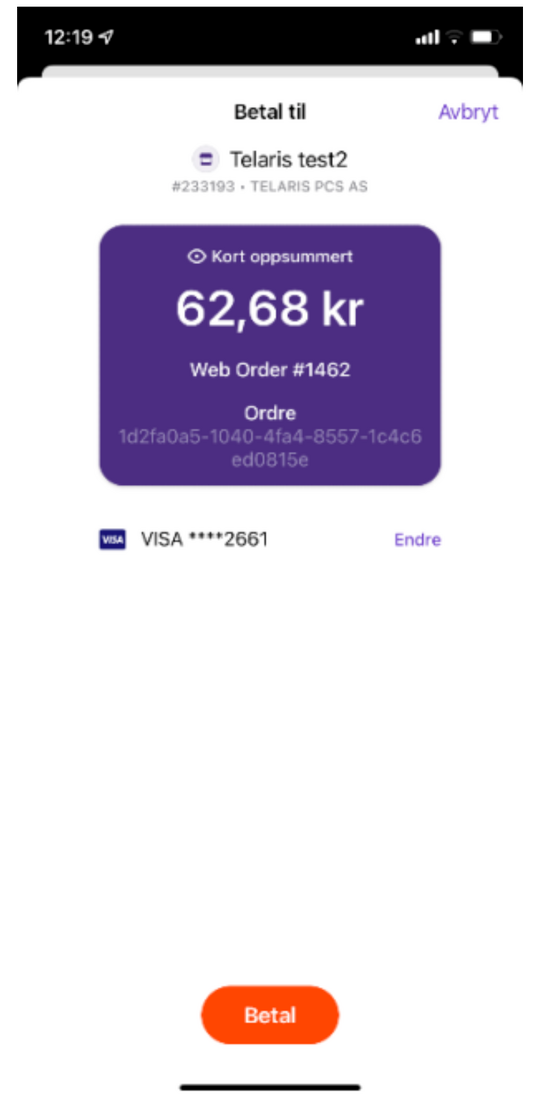
- The Vipps app opens automatically
- The customer confirms the payment
Reserving and capturing the amount
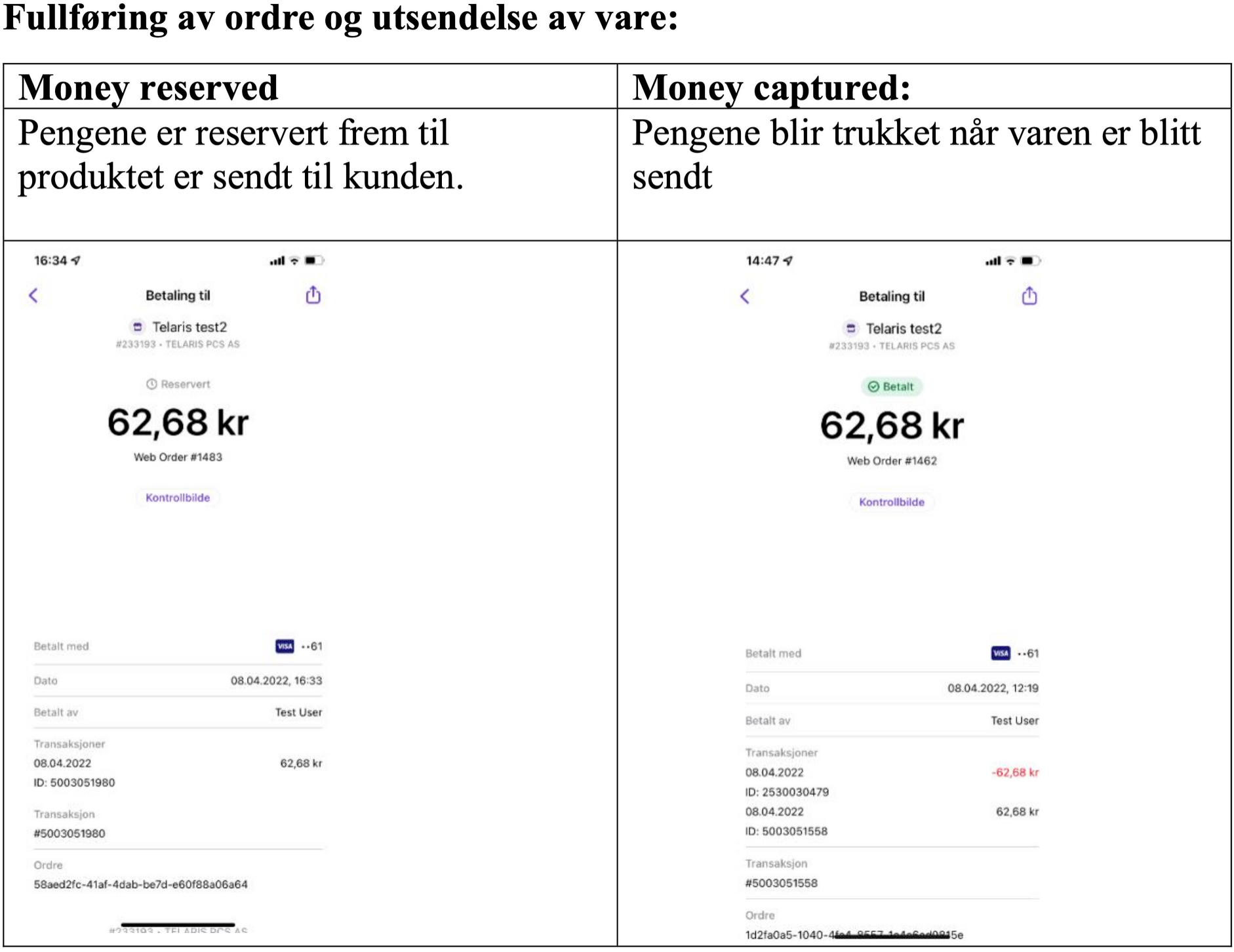
The amount is reserved in Vipps when the customer approves (Money Reserved). The amount is captured when the goods are shipped in Telaris (Money Captured). This ensures correct charging throughout the order process.
Cancellation and refund
When an order is cancelled in Telaris, a Vipps refund is created automatically:
- The amount is returned to the customer
- Vipps updates the transaction
- The status is mirrored in Telaris
Benefits
- Fast checkout in the web shop
- Automated payment flow for reservation, capture and refund
- The amount is reserved before the order is processed
- Payment status is shown in both Vipps and Telaris
- Integrated with the ERP system
What do you need to get started?
The following fields must be entered in Telaris:
| Field | Description |
|---|---|
| Client ID | Retrieved from the Vipps portal |
| Client Secret | Generated in portal.vipps.no |
| Subscription Keys | API and webhook keys |
| Merchant Serial Number (MSN) | Vipps unit number |
Payment flow
Customer → Telaris web shop → Vipps (Money Reserved)
                     → Telaris (Shipped) → Money Captured
                     → Cancellation → Refund → Vipps repayment
Screenshots
Setup in Telaris
Vipps payment in the web shop
Vipps payment
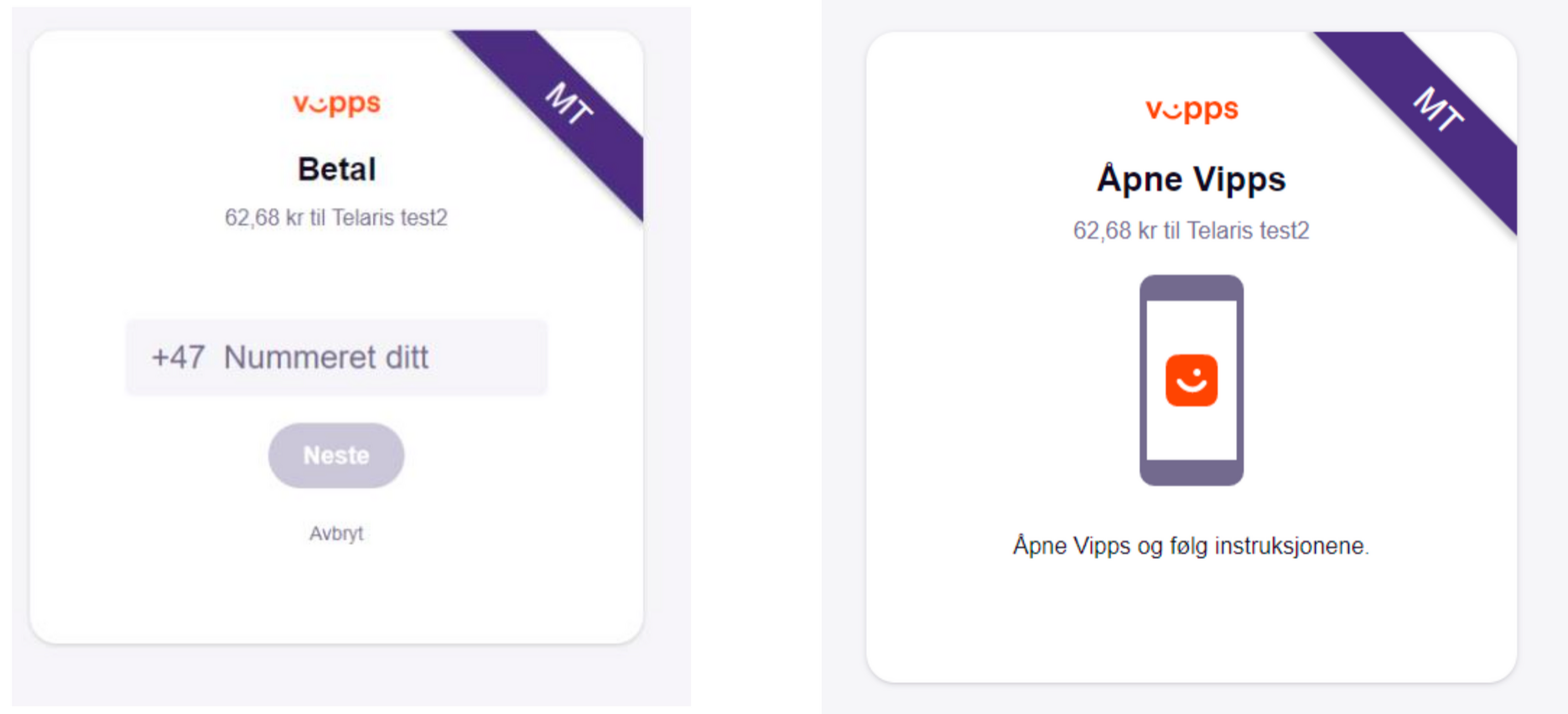
Confirm the amount in the Vipps app
Capturing the payment on shipment

Was this article helpful?
That’s Great!
Thank you for your feedback
Sorry! We couldn't be helpful
Thank you for your feedback
Feedback sent
We appreciate your effort and will try to fix the article