Purchasing and stocking batch-managed products
Guide to setup and use of batch-managed products
TABLE OF CONTENTS
Batch numbers in Telaris
The purpose of batch numbers is to be able to track a product from purchase to sale. The stock table becomes specific per batch, and a specific batch is picked for sale.
Guide
1. Activation
To make a product batch-managed, check the checkbox at the bottom of the product card.

This activates new functionality in the purchase of the product.
2. Completing the purchase
Purchasing a batch-managed product gives extra functionality at goods receipt.
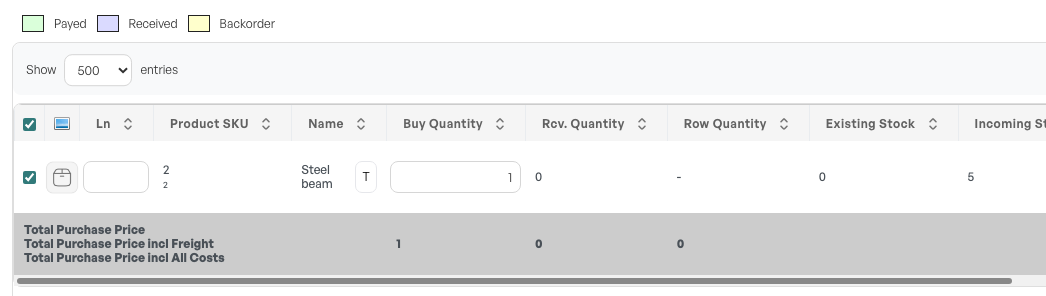
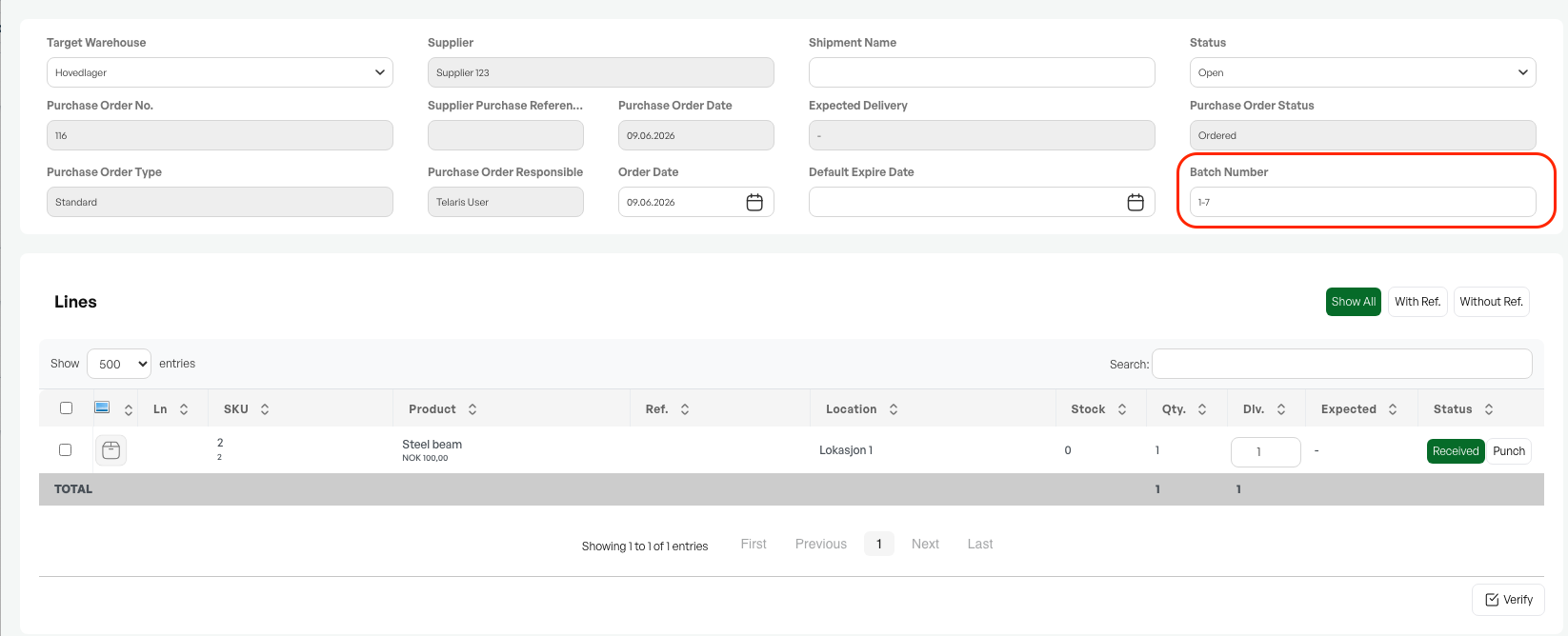
The batch number is automatically generated in the header.
If you want to set your own batch series, you can also adjust this in the header before receiving goods into stock.
The number series selected is a combination of supplier number + sequence.
Guide: Purchasing
3. Batch numbers in stock
After goods receipt of batch numbers, the product gets extra stock details on the stock tab of the product card, showing the quantity and an overview of batch numbers registered in stock.
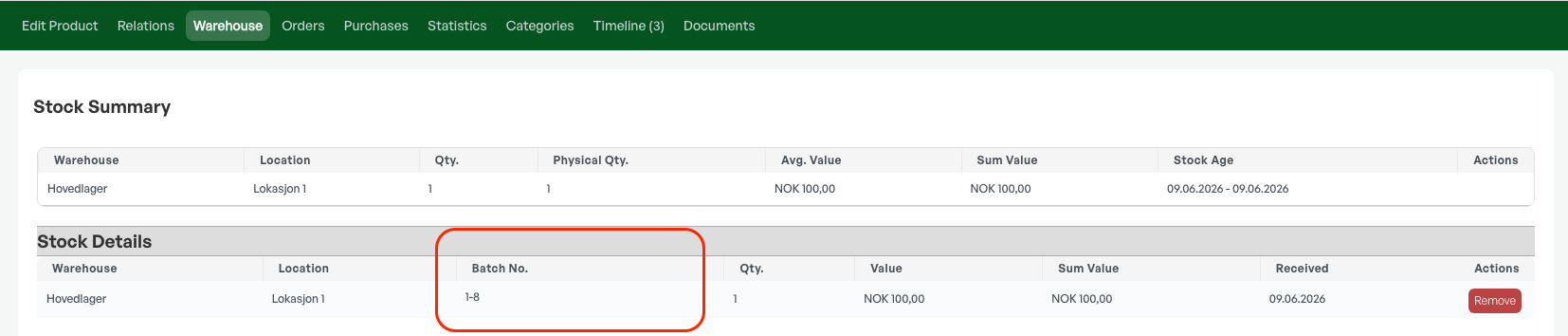
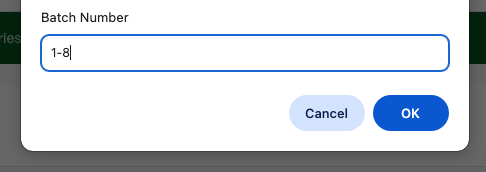
From this tab, it is also possible to click the batch number to add or change batch numbers that are stored.
Guide: Selling batch-managed products

Was this article helpful?
That’s Great!
Thank you for your feedback
Sorry! We couldn't be helpful
Thank you for your feedback
Feedback sent
We appreciate your effort and will try to fix the article